
Curated pack: customer flows
Create a new curated pack subscription as a customer
Section titled “Create a new curated pack subscription as a customer”-
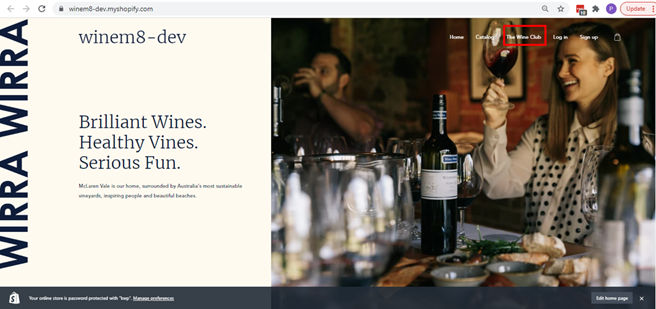
Open the brand’s Shopify site and click on The Wine Club tab — which can be found in the main menu.
-
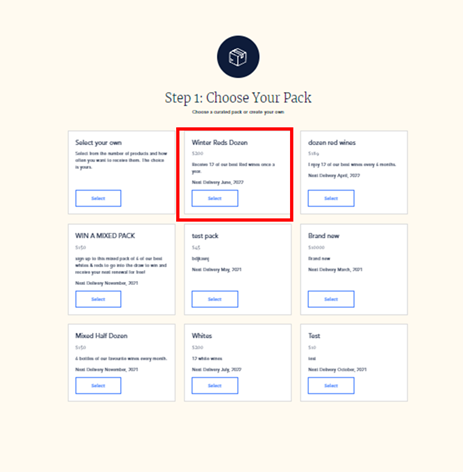
Choose your pack. The Wine Club page will have options for creating your own custom pack or choosing from the packs curated by the brand. Select any of the listed curated packs — Winter Reds Dozen pack, for example.
-
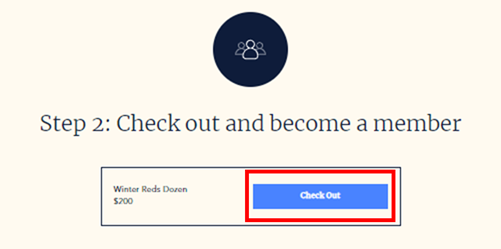
Check out and become a member. Click on the Check Out button.
-
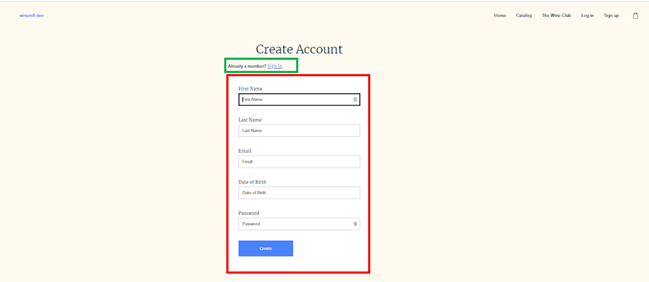
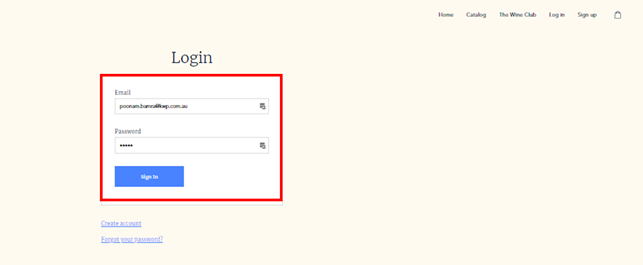
The following page will load. Either create an account or just login if you already have an account.
-
Sign in using the email address and password and click Sign In.
-
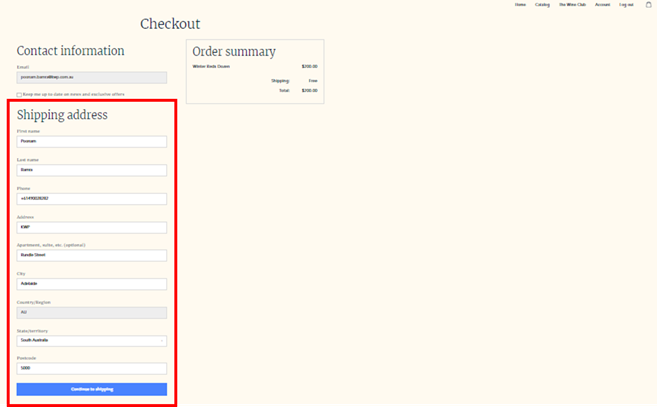
Check if all the shipping details are correct and click Continue to Shipping.
-
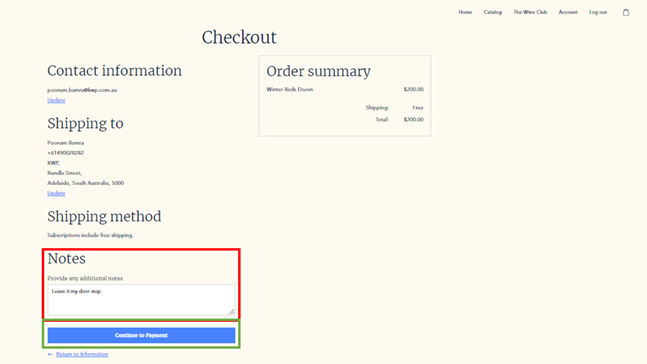
Add notes if any, and click Continue to Payment.
-
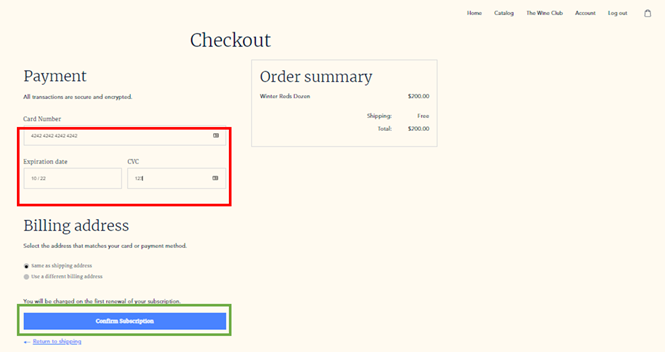
Add the credit card details and click Pay Now.
-
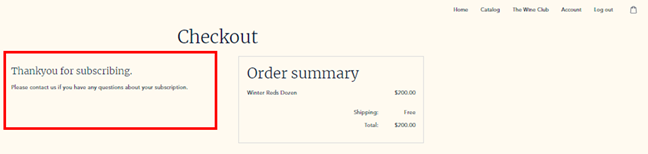
On successful payment, the Thank You message will load up.
Manage curated pack subscriptions as a customer
Section titled “Manage curated pack subscriptions as a customer”-
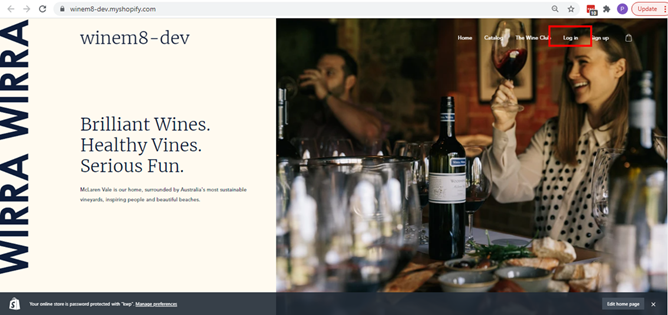
Go to the brand store and click Login.
-
Login using the credentials used to set up your account when signing up for the subscription.

-
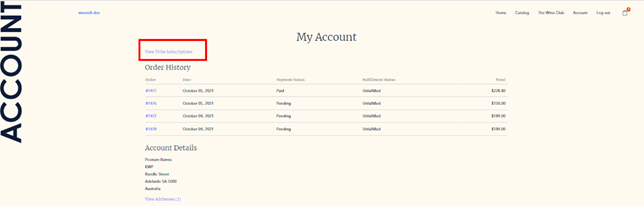
On successful login, all the account details can be accessed. This page will have a link labelled View the subscriptions.
-
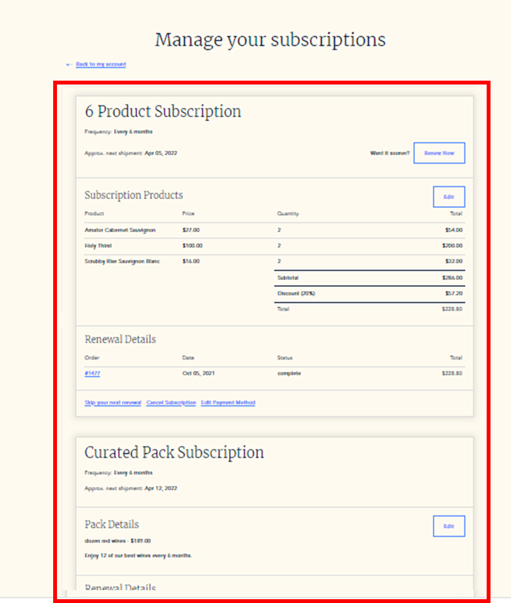
That link will load all the subscriptions and details of the customer.
Cancel subscription
Section titled “Cancel subscription”-
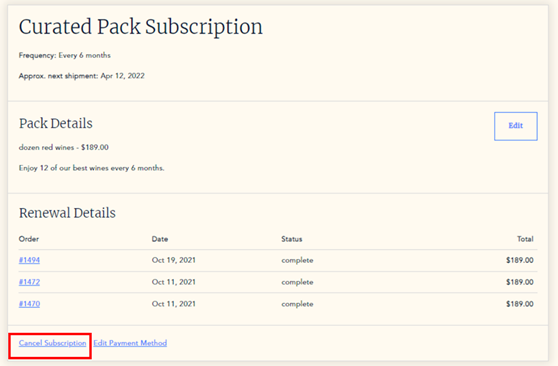
Click Cancel Subscription to cancel. Existing pending orders will still be processed.
-
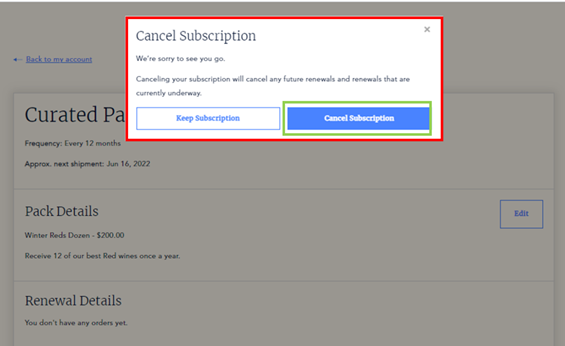
Click the Cancel Subscription button to confirm cancellation of the subscription and the next renewal.
Edit payment method
Section titled “Edit payment method”-
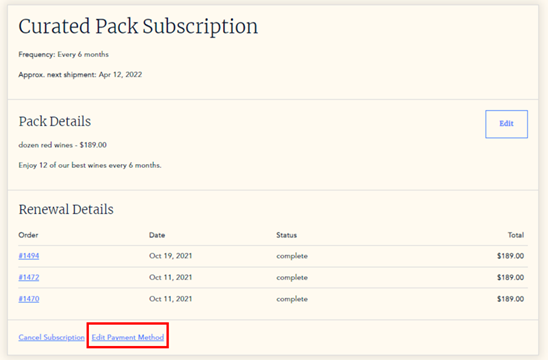
Click Edit payment method to edit the payment details.
-
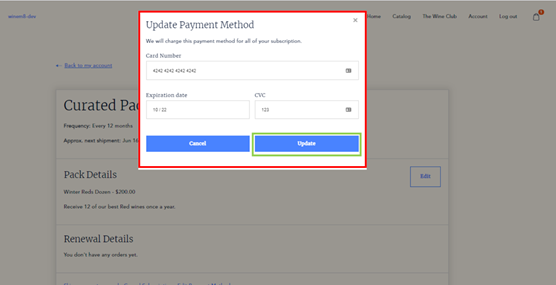
Update the card details and click Update.
Edit pack
Section titled “Edit pack”-
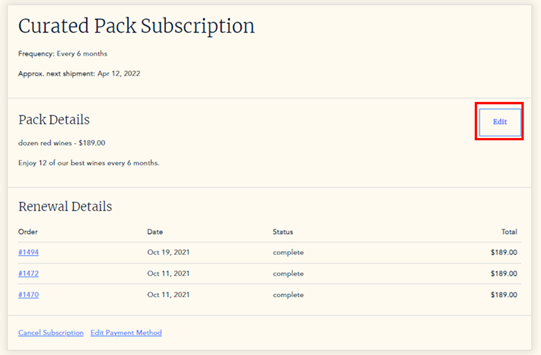
Click the Edit button.
-
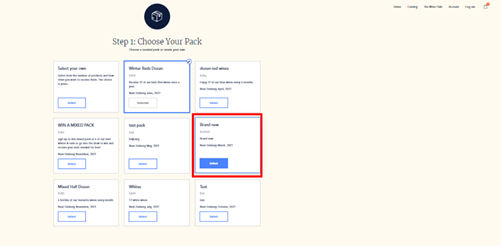
Choose your pack — continue with a Curated pack or opt for a Custom pack. To choose a curated pack, choose from one of the listed packs curated by the brand.
-
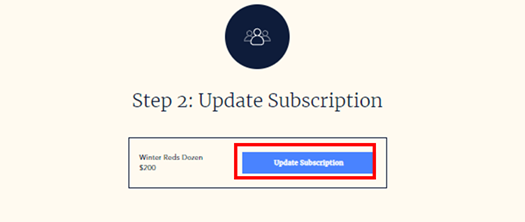
Update subscription — click the Update Subscription button.
Renew curated pack
Section titled “Renew curated pack”Customers cannot renew a curated pack early or outside of the bulk renewal process.
What a customer can control in their curated subscription
Section titled “What a customer can control in their curated subscription”Customers can control different aspects of their subscription depending on if they subscribe to a curated or custom pack. Below are the details of what a customer can control for a curated subscription.
A customer can:
- Decide what pack they subscribe to
- Update their delivery address
- Update their payment method
- Change from a curated pack to a custom pack
- Cancel their subscription
A customer cannot:
- Skip their next renewal
- Renew their subscription early
- Choose what wine they receive in their pack
- Receive their first pack immediately