
Welcome Template
“Hello! Welcome to Winem8. Your {{ event.packType }} subscription has been created! You will receive the {{ event.curatedPackName }} {{ event.curatedPackFrequency }} with a total of {{ event.curatedPackQuantity }} bottles!”
To allow for consistent communication with customers, Winem8 is integrated with Klaviyo in the form of metrics. These metrics exist so that Klaviyo can trigger specific email flows as a response to these metrics. Some key metrics include:
Klaviyo flows are automated email (and SMS) sequences that trigger based on customer actions or data — in our case, whenever Winem8’s metrics reach Klaviyo.
Unlike one-off campaigns (which you send to a list at a point in time), flows run continuously in the
background and personalise based on each recipient’s behaviour and data.
If you are not familiar with Klaviyo Flows, the Winem8 team will clone a group of Klaviyo flows into your Klaviyo account that you can use and customise to your needs.
Once you have received your Klaviyo flows from Winem8, you will need to:
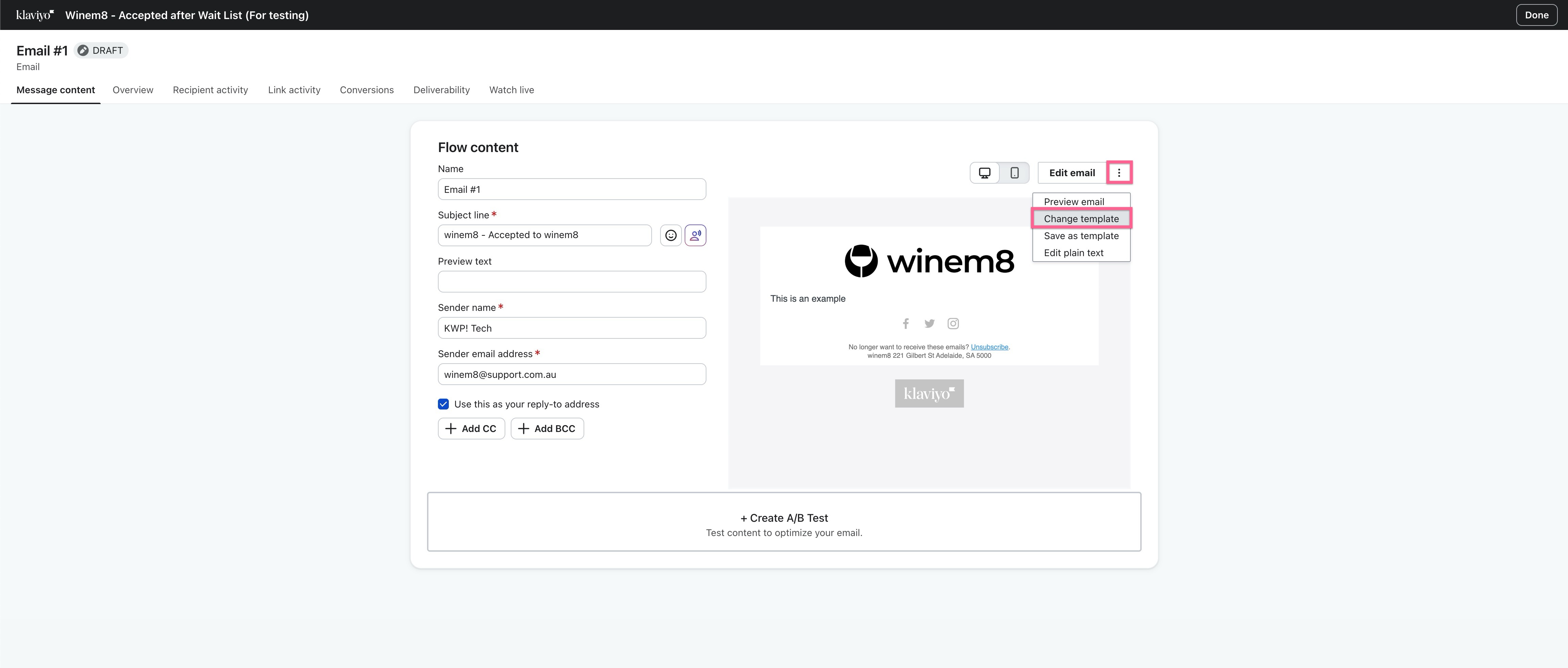
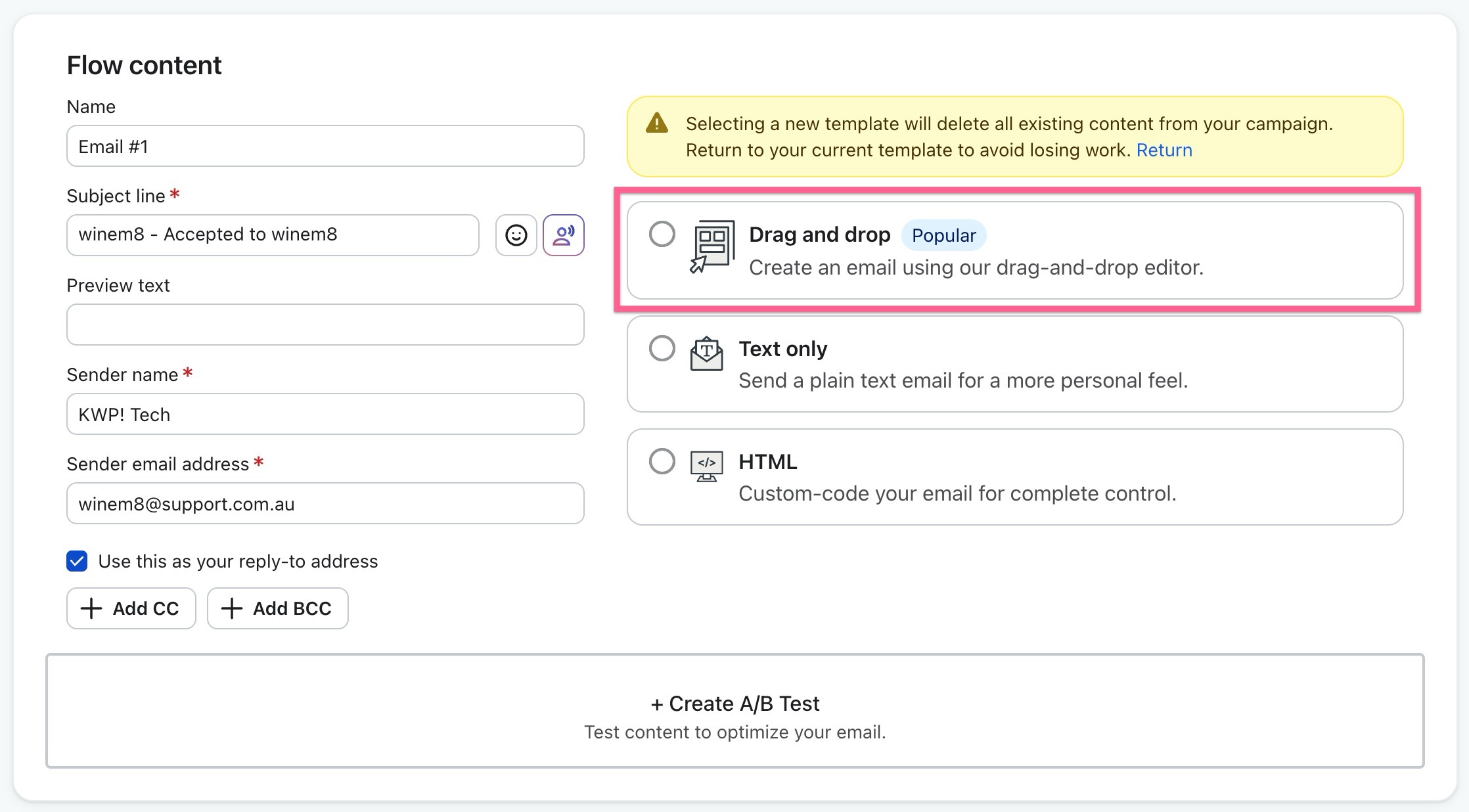
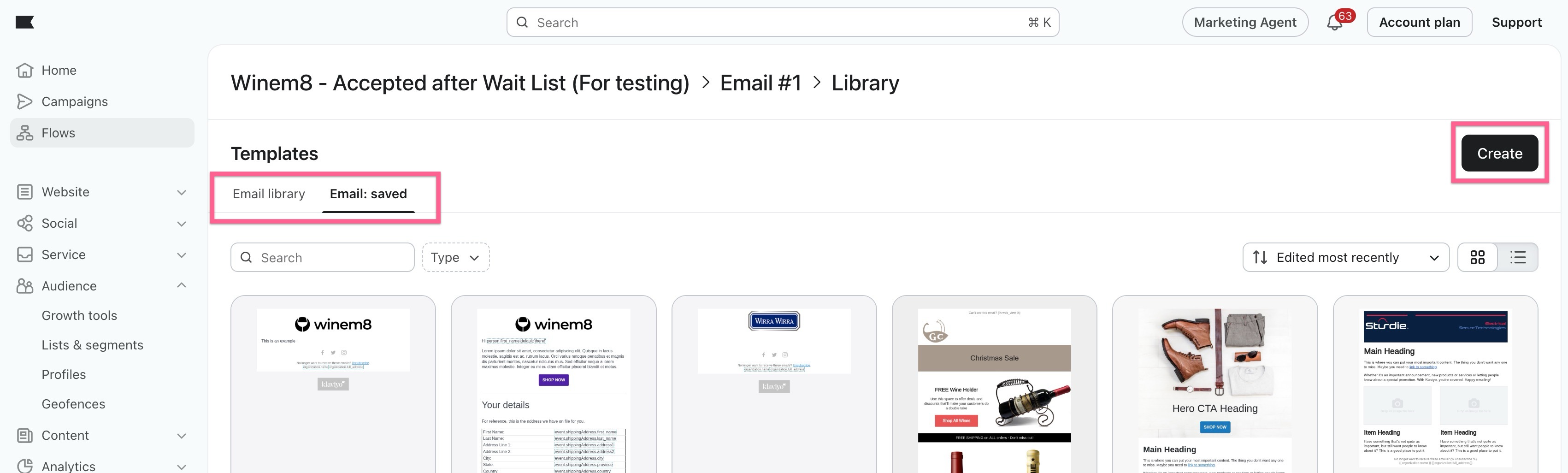
It is recommended to set the template for each email action to use a ‘Drag and drop’ template. If you already have a template set up, great! Otherwise you can use Klaviyo’s built-in drag and drop editor to create your own.
Every Winem8 event emitted to Klaviyo also includes information relevant to that customer. We can use this information in our email templates to personalise them and provide specific details.
For example, a user has just signed up for the first time. Klaviyo will be provided with information about their subscription such as the pack type, frequency and quantity. Given the variable name of these values we can structure our email template to display this information like so:
Welcome Template
“Hello! Welcome to Winem8. Your {{ event.packType }} subscription has been created! You will receive the {{ event.curatedPackName }} {{ event.curatedPackFrequency }} with a total of {{ event.curatedPackQuantity }} bottles!”
The use of double curly brackets ’{{}}’ lets Klaviyo know that we are using a variable.
These variables will then be replaced with the actual data when a user is sent this email and they will receive the following:
Welcome Email
“Hello! Welcome to Winem8. Your curated subscription has been created! You will receive the Summer Reds monthly with a total of 12 bottles!”
For a full list of available variables per Winem8 metric, refer to our Klaviyo Metrics Guide.
Klaviyo by default will not send emails to users who have ‘opted-out’ of email marketing. By default they apply this logic to all email flows.
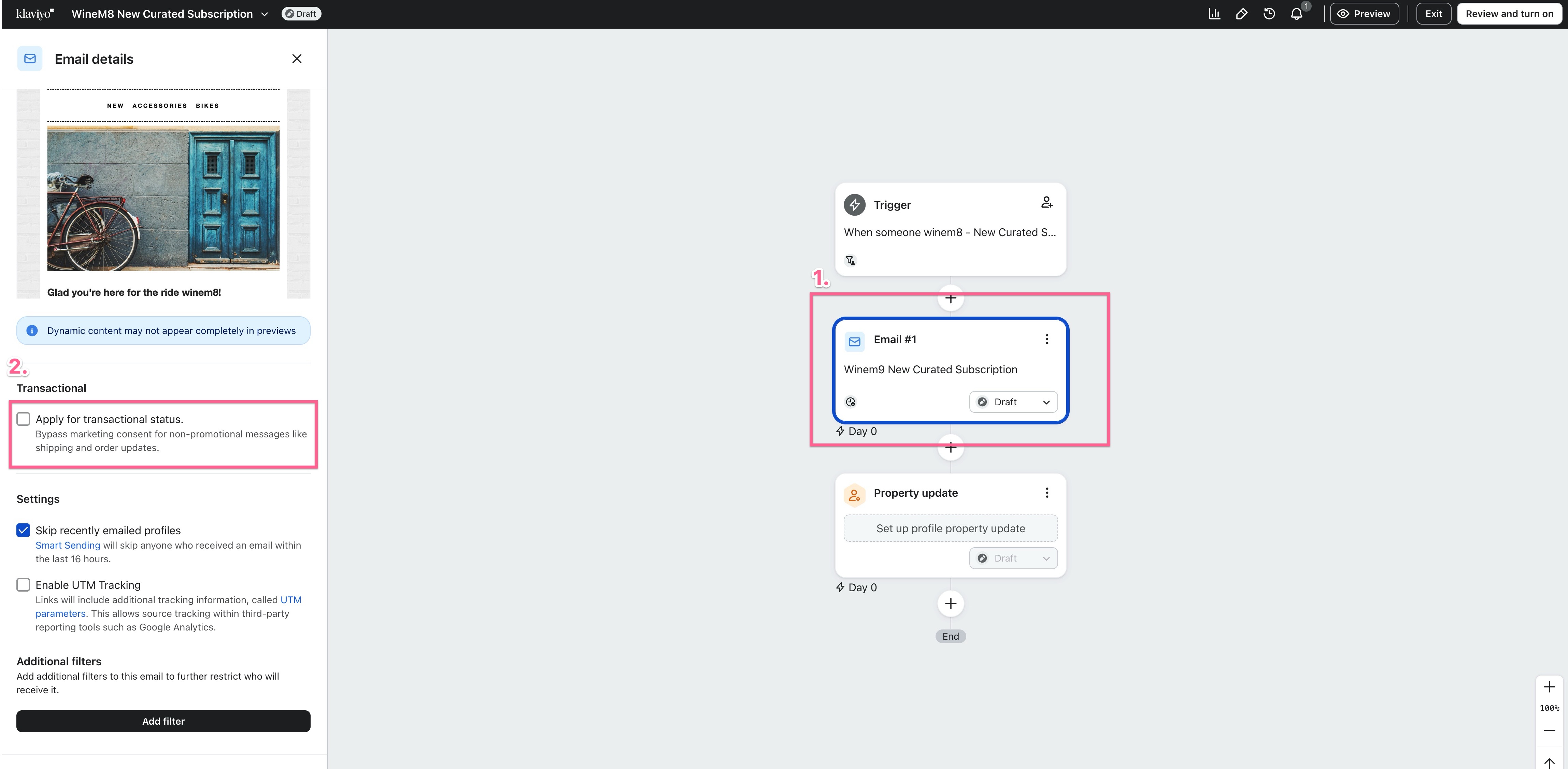
However, seeing as Winem8 events are triggered by user interaction such as a purchase or subscription renewal, we must apply for ‘transactional status’. This ensures subscription-based emails are sent regardless of their marketing preference.
To allow for this please follow these steps: