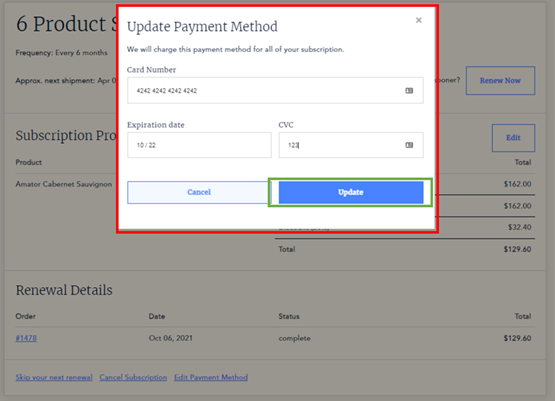
Custom pack: customer flows
View custom subscriptions as a customer
Section titled “View custom subscriptions as a customer”-
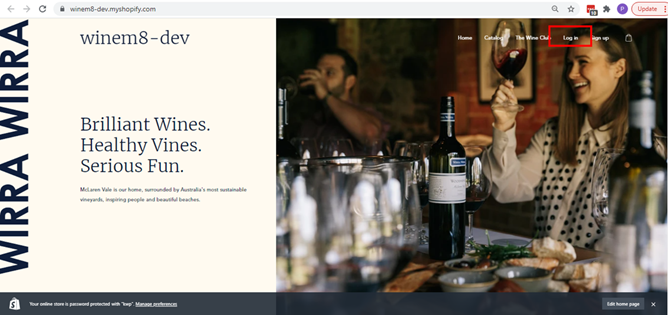
Go to the brand store and click Login.
-
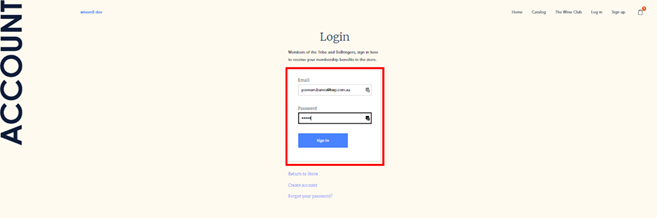
Login using the credentials used to set up your account when signing up for the subscription.
-
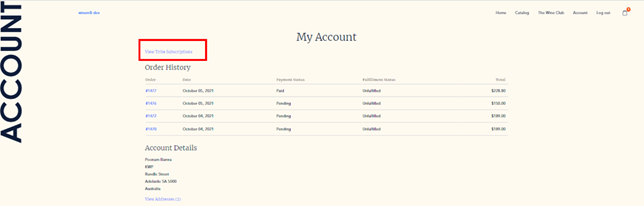
On successful login, all the account details can be accessed. This page will have a link labelled View the subscriptions.
-
That link will load all the subscriptions and details of the customer.
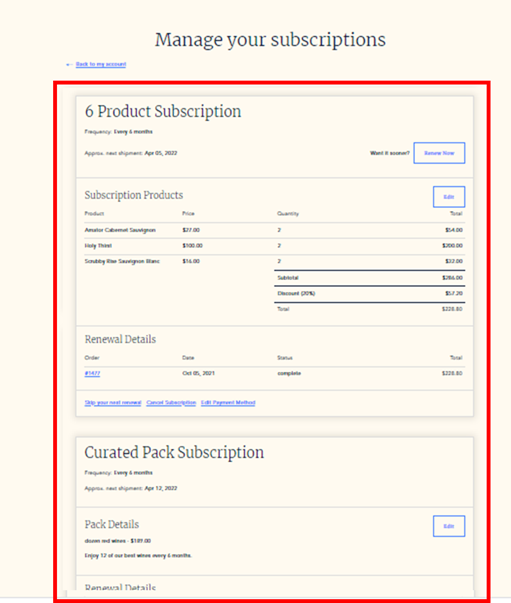
Multiple subscription management/edit options are available.
Create a custom pack subscription as a customer
Section titled “Create a custom pack subscription as a customer”-
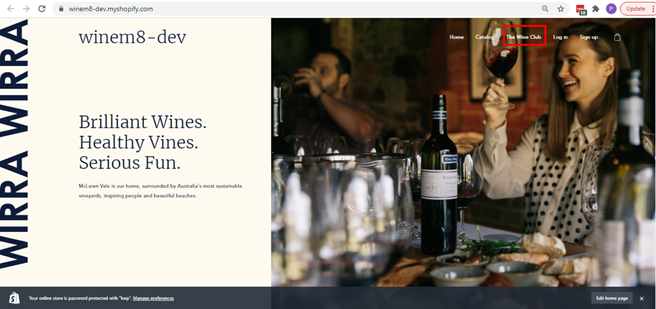
Open the brand’s Shopify site and click on The Wine Club tab — which can be found in the main menu.
-
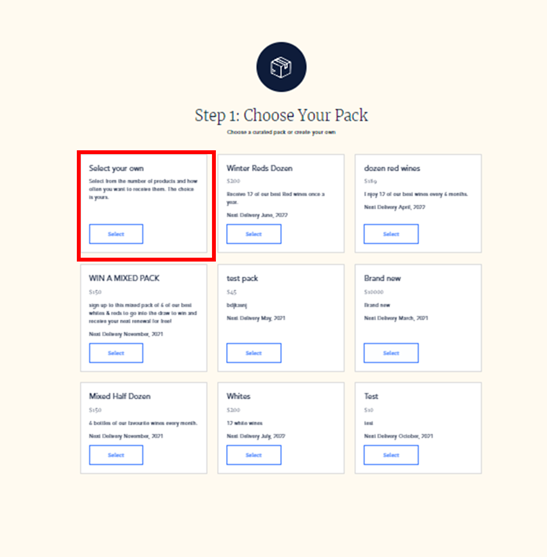
Choose your pack. The Wine Club page will have options for creating your own custom pack or choosing from the packs curated by the brand. Click Select your own to create your own custom pack.
-
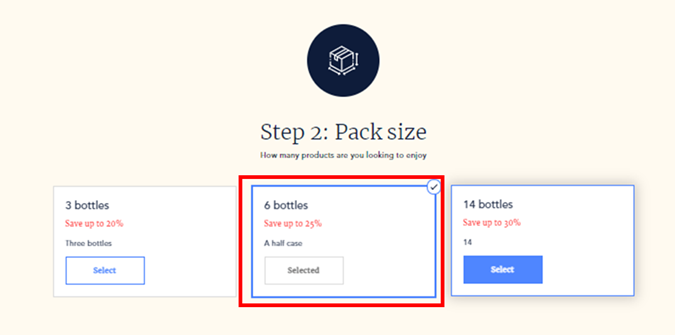
Pack size — select the number of bottles needed in the custom pack.
-
Choose your frequency — choose how often the pack needs to be delivered.
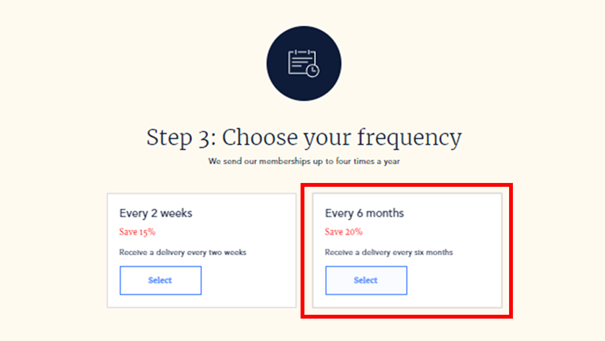
-
Choose your wines — select the wines needed in the pack along with the number of bottles for each product. The total number of bottles selected should be equivalent to the number of bottles option selected in step 2.
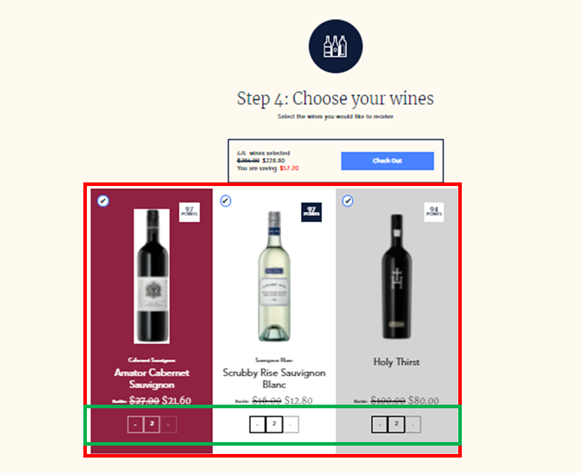
-
Check out and become a member. Click the Check Out button.
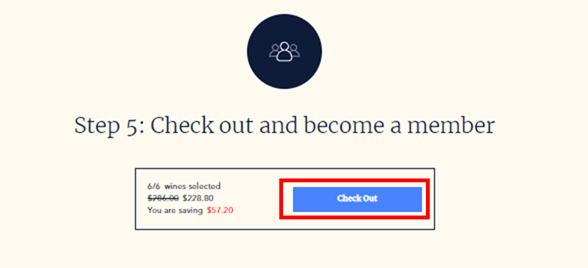
-
Either create an account or just login if you already have an account.
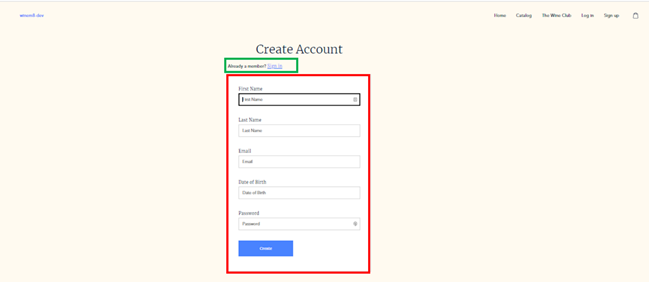
-
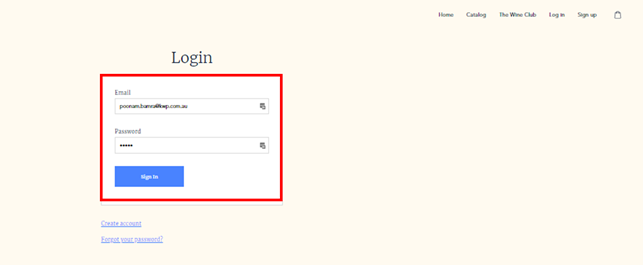
Sign in using the email address and password and click Sign In.
-
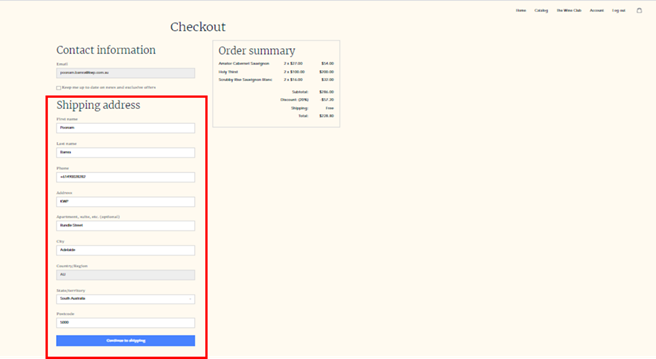
Check if all the shipping details are correct and click Continue to Shipping.
-
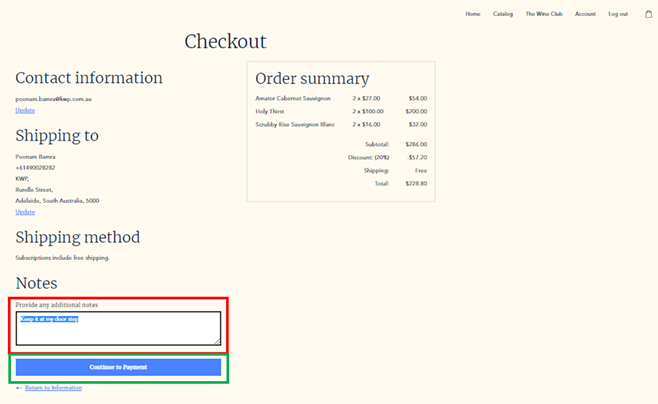
Add notes if any, and click Continue to Payment.
-
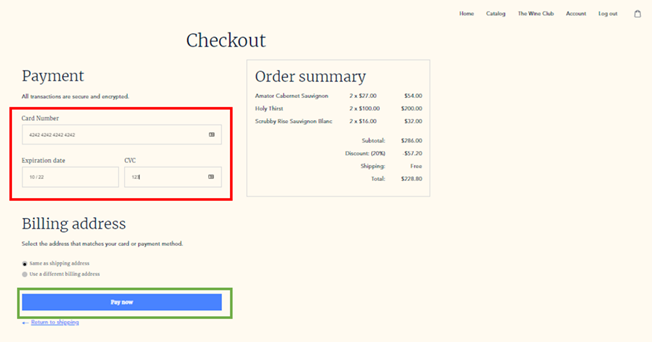
Add the credit card details and click Pay Now.
-
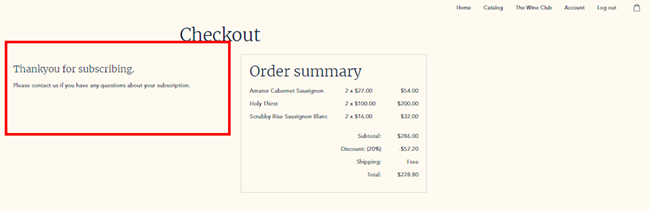
On successful payment, the Thank You message will load up.
Edit custom pack subscription after anniversary/renewal date as a customer
Section titled “Edit custom pack subscription after anniversary/renewal date as a customer”Customer will need to first get in touch with the Admin/Brand → Admin will need to find the subscription → Cancel the order → Inform the customer → Customer can then edit the subscription → Customer to Renew Subscription.
-
Go to the brand store and click Login.
-
Login using the credentials used to set up your account when signing up for the subscription.
-
On successful login, all the account details can be accessed. This page will have a link labelled View the subscriptions.
-
That link will load all the subscriptions and details of the customer.
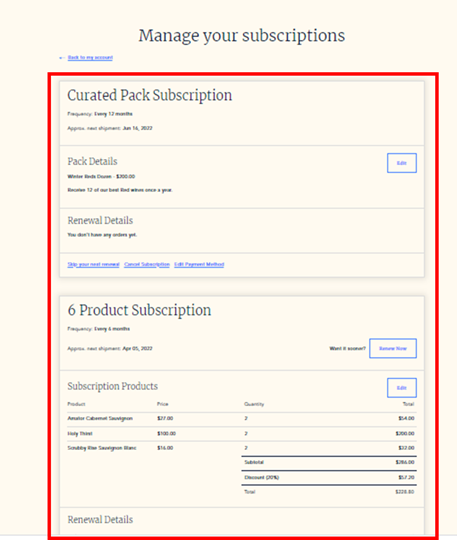
Multiple subscription management/edit options are available.
Edit custom pack subscription
Section titled “Edit custom pack subscription”-
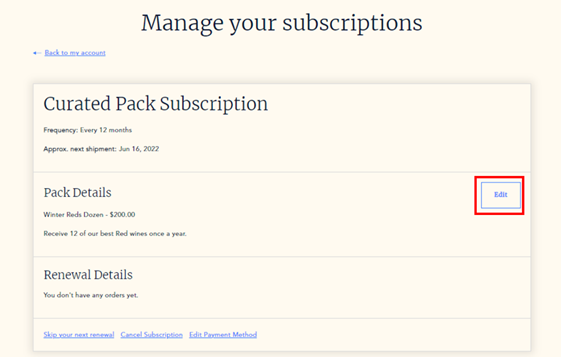
Click the Edit button.
-
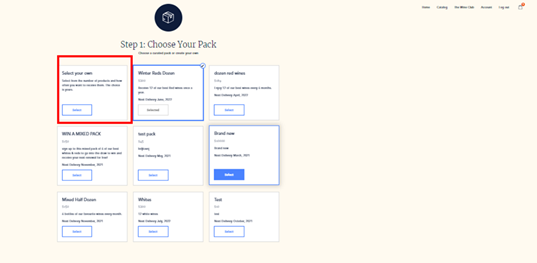
Choose your pack — continue with a Curated pack or opt for a Custom pack. To choose a Custom pack, click Select your own.
-
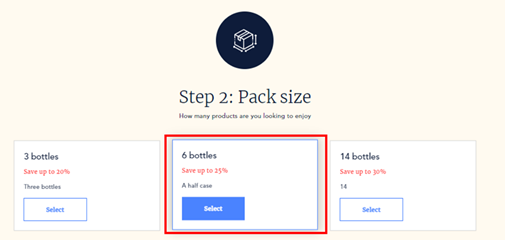
Pack size — select the number of bottles needed in the pack.
-
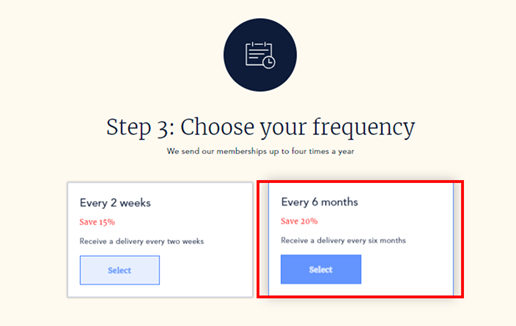
Choose your frequency — choose the number of times a year the custom pack should be delivered.
-
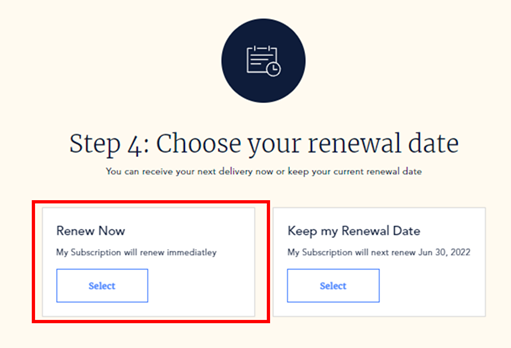
Choose your renewal date — choose to renew the pack immediately or to keep the renewal date the same as before.
-
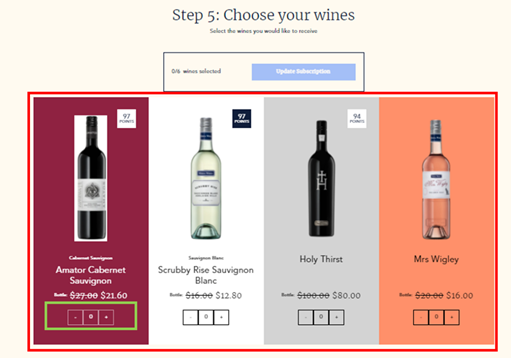
Choose the wines for the custom pack and adjust the number of bottles to be the same as chosen in step 3.
-
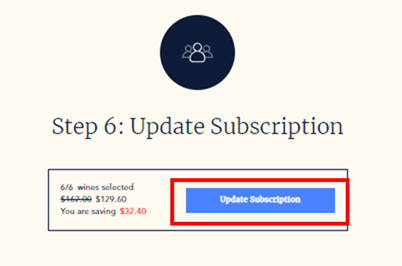
Update subscription — click the Update Subscription button.
-
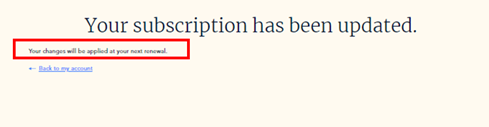
On successful update, a confirmation message will be displayed.
Renew custom pack subscription
Section titled “Renew custom pack subscription”-
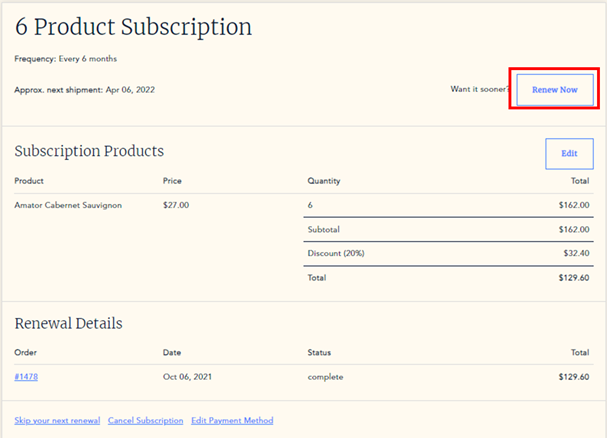
If the custom pack is needed earlier, click Renew Now.
-
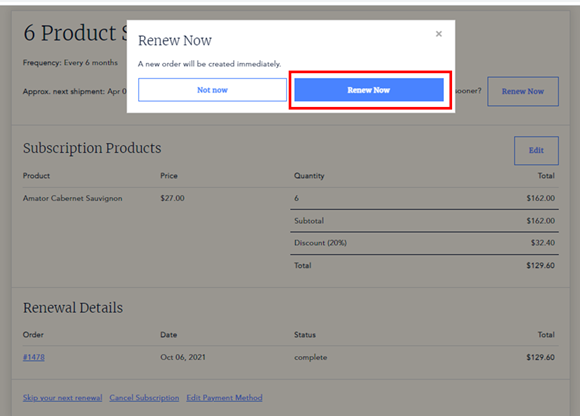
Click Renew Now again when the pop-up appears.
Renew a custom pack subscription as a customer
Section titled “Renew a custom pack subscription as a customer”-
Go to the brand store and click Login.
-
Login using the credentials used to set up your account when signing up for the subscription.
-
On successful login, all the account details can be accessed. This page will have a link labelled View the subscriptions.
-
That link will load all the subscriptions and details of the customer.
-
Go to the subscription that needs to be renewed.
-
If the custom pack is needed earlier, click Renew Now.
-
Click Renew Now again when the pop-up appears.
Skip renewal of a custom pack subscription as a customer
Section titled “Skip renewal of a custom pack subscription as a customer”-
Go to the brand store and click Login.
-
Login using the credentials used to set up your account when signing up for the subscription.
-
On successful login, all the account details can be accessed. This page will have a link labelled View the subscriptions.
-
That link will load all the subscriptions and details of the customer.
-
Go to the subscription that needs to be skipped.
-
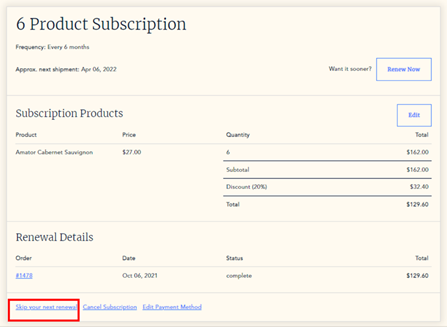
Click Skip your next renewal to skip the next upcoming order. Pending orders will still be processed.
-
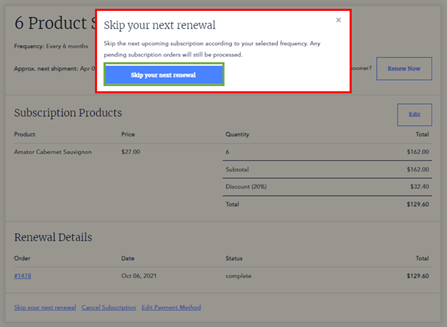
Click the confirmation button to skip the next renewal.
Cancel custom subscription as a customer
Section titled “Cancel custom subscription as a customer”-
Go to the brand store and click Login.
-
Login using the credentials used to set up your account when signing up for the subscription.
-
On successful login, all the account details can be accessed. This page will have a link labelled View the subscriptions.
-
That link will load all the subscriptions and details of the customer.
-
Go to the subscription that needs to be cancelled.
-
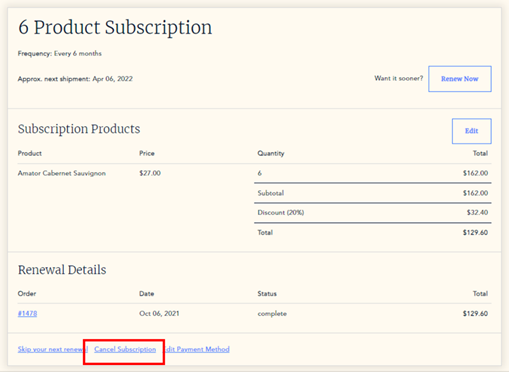
Click Cancel Subscription to cancel. Pending orders will still be processed.
-
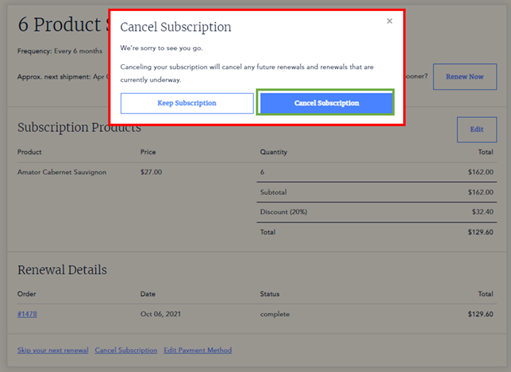
Click the confirmation button to confirm cancellation.
Edit the custom pack subscription as a customer
Section titled “Edit the custom pack subscription as a customer”-
Go to the brand store and click Login.
-
Login using the credentials used to set up your account when signing up for the subscription.
-
On successful login, all the account details can be accessed. This page will have a link labelled View the subscriptions.
-
That link will load all the subscriptions and details of the customer.
-
Go to the subscription that needs to be edited.
-
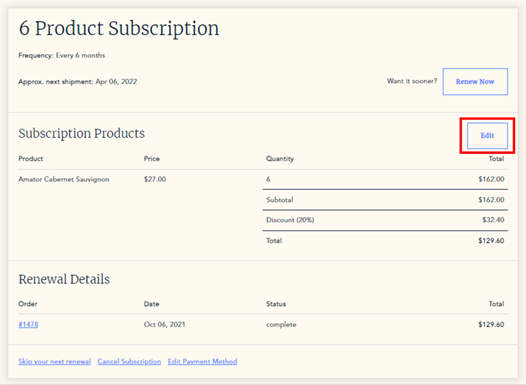
Click the Edit button.
-
Choose your pack — continue with a Curated pack or opt for a Custom pack. To choose a Custom pack, click Select your own.
-
Pack size — select the number of bottles needed in the pack.
-
Choose your frequency — choose the number of times a year the custom pack should be delivered.
-
Choose your renewal date — choose to renew the pack immediately or to keep the renewal date the same as before.
-
Choose the wines for the custom pack and adjust the number of bottles to be the same as chosen in step 8.
-
Update subscription — click the Update Subscription button.
-
On successful update, a confirmation message will be displayed.
Update payment method of custom pack subscription as a customer
Section titled “Update payment method of custom pack subscription as a customer”-
Go to the brand store and click Login.
-
Login using the credentials used to set up your account when signing up for the subscription.
-
On successful login, all the account details can be accessed. This page will have a link labelled View the subscriptions.
-
That link will load all the subscriptions and details of the customer.
-
Go to the subscription for which the payment method needs to be updated.
-
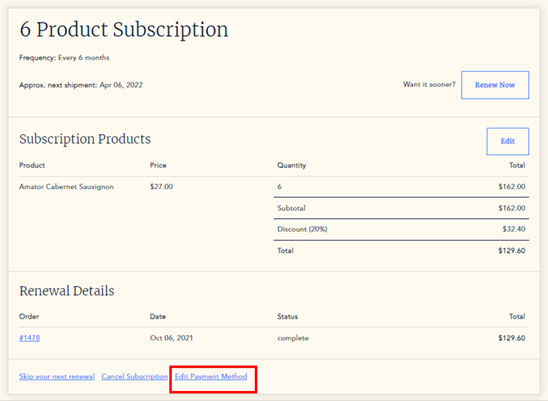
Click Edit payment method to edit the payment details.
-
Update the card details and click Update.