Managing curated subscriptions
About curated renewals
Section titled “About curated renewals”What happens during the renewal process
Section titled “What happens during the renewal process”Curated subscriptions are configured to provide control over the renewal process to the store. This requires the pack contents to be selected and then the renewal process started by the store.
-
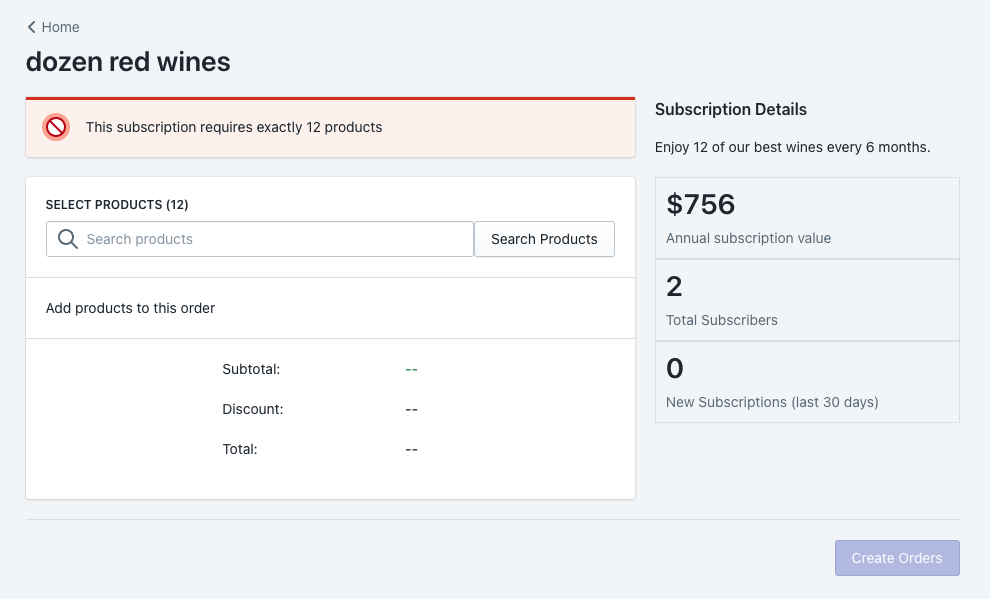
Admin will need to trigger the renewal process by preparing the pack contents and clicking Create Orders.
-
Orders will immediately be created for all subscribers to that pack.
-
The customer will get charged after the order is created — this is determined by the Order Fulfilment Lead Time (e.g. instantly or 1 day).
-
Payment will attempt to charge when selected.
-
If there is a failed payment, winem8 will reattempt to charge on days 1, 3 and 5 after the initial failed payment.
What can be edited during the renewal process
Section titled “What can be edited during the renewal process”Before an order is created, any changes can be made to the subscription and will be applied to the order.
Once an order is created, the following options are available via the curated subscription management section on your store or via the app within Shopify:
- Update Addresses — Any updates to the customer’s default address in Shopify will update the shipping address of the pending renewal.
- Update Payment Method — Any updates to the customer’s payment method will apply when payment is taken for the pending renewals.
If a change needs to be made to an order, you will need to convert to a custom subscription. This allows the customer to select the specific products they want. These new products will apply for all future renewals of the subscription.
-
Cancel the pending order through Shopify.
-
Adjust and make changes to the subscription by clicking Change to Custom Subscription on winem8’s subscription details page.
-
Click Renew Now on winem8’s subscription details page — this will create a new order.
Can you individually renew a curated pack?
Section titled “Can you individually renew a curated pack?”You cannot renew a curated pack subscription individually.
Editing an order during the renewal process
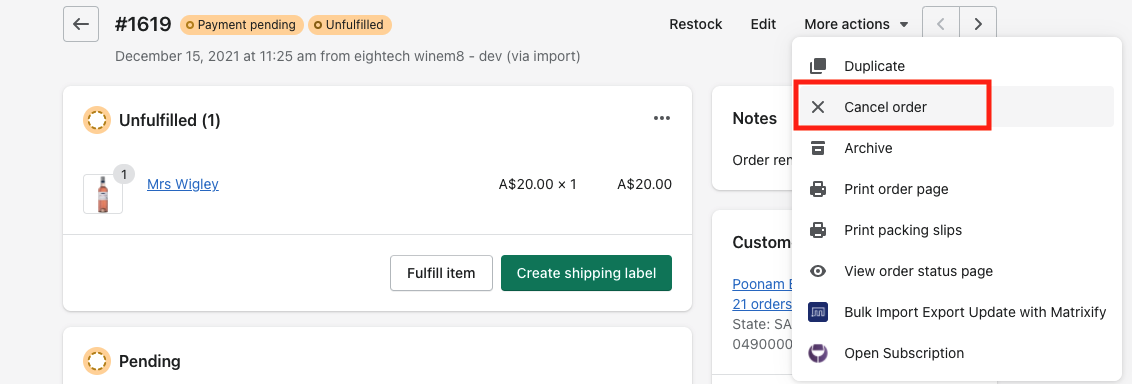
Section titled “Editing an order during the renewal process”No changes can be made to an existing order in Shopify. To make changes to the customer’s order, you will first need to cancel the existing one in Shopify.
-
Cancel the existing order in Shopify.
-
Navigate back to the customers Subscription in Winem8.
-
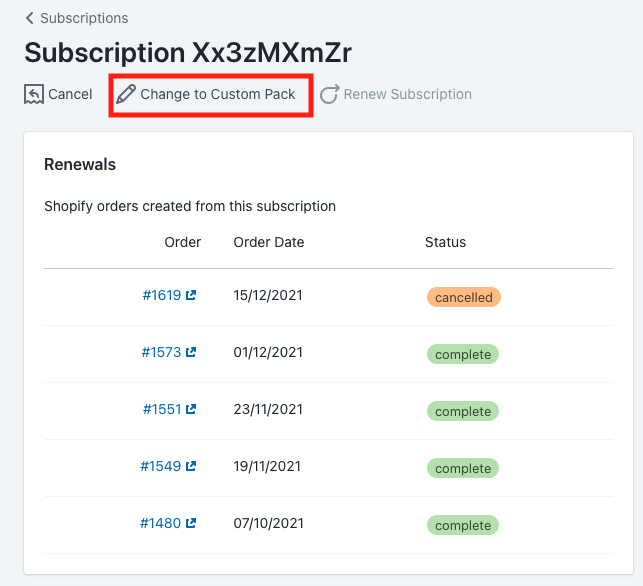
Curated packs cannot be renewed manually, so you will first need to convert the customer’s subscription to a custom one.
-
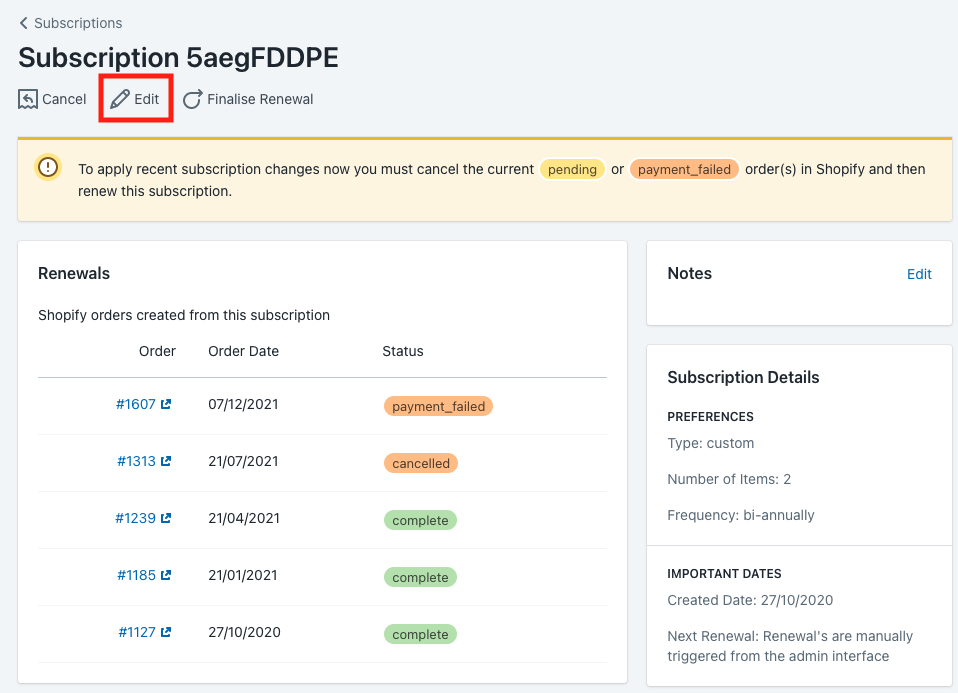
Once you have changed to a custom pack, click Edit.
-
Make the relevant changes to the subscription per the customer’s preferences and click Save.
-
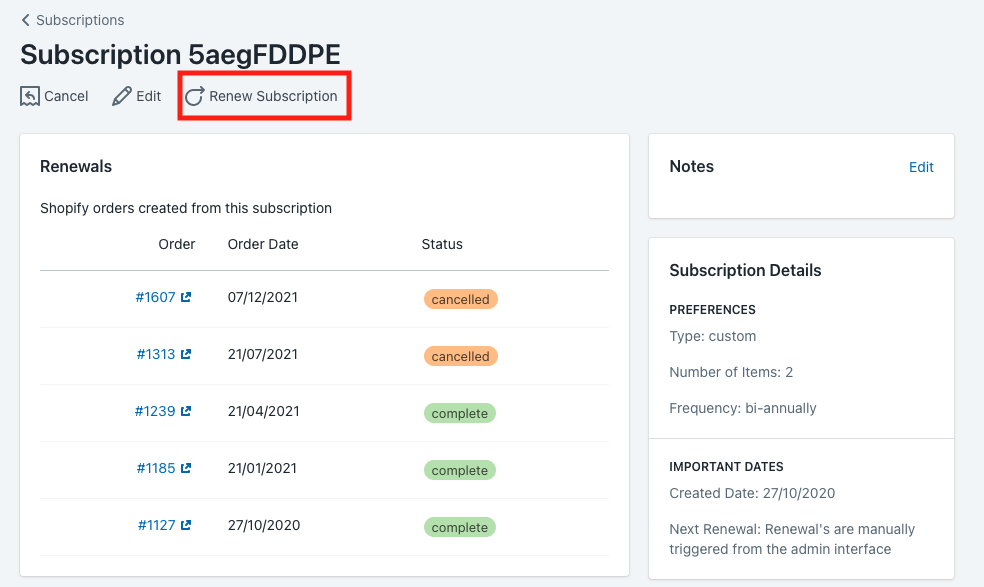
Click Renew Subscription.
This will create a new order with the changes applied and immediately charge the customer.
If they would like to change, they have the ability to easily make this change themselves through their member portal.
As an admin, to change from a custom subscription to a curated subscription you will need to cancel the custom subscription and create a new curated subscription on behalf of the customer.
Admin processes
Section titled “Admin processes”Create a curated subscription for a customer
Section titled “Create a curated subscription for a customer”-
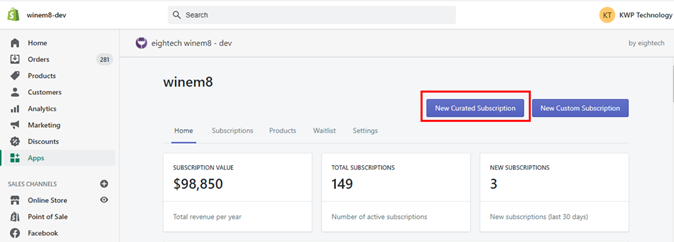
Within the winem8 dashboard, select New Curated Subscription.
-
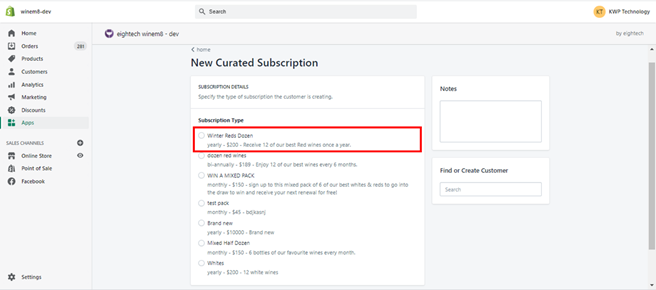
Select the pack your customer would like to subscribe to. Add any notes that need to be included on the order — this can be shipping directions like “leave my order by the front door.”
-
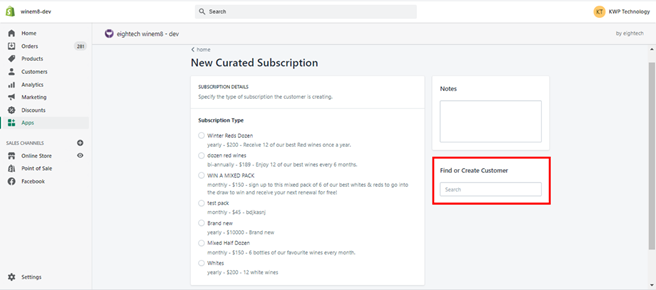
Find or create the customer profile.
-
If the customer has purchased from you before, their account will appear in this list.
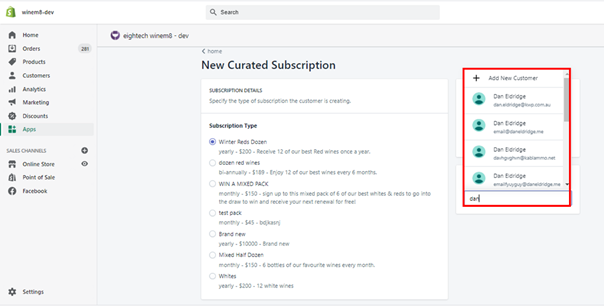
-
Select the customer and their details will appear.
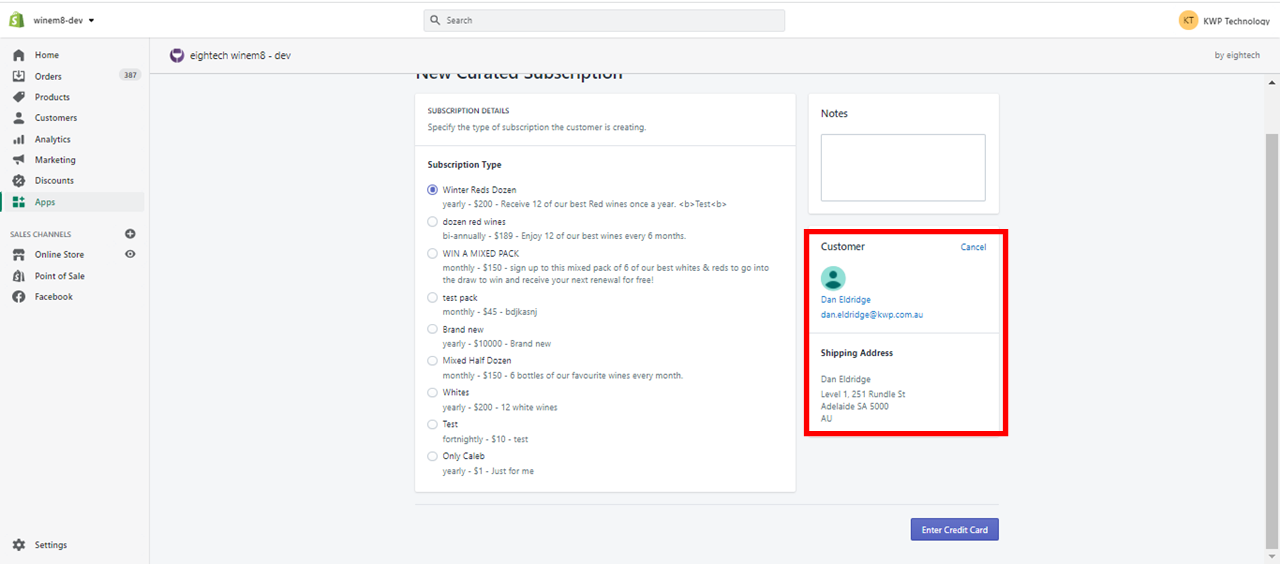
-
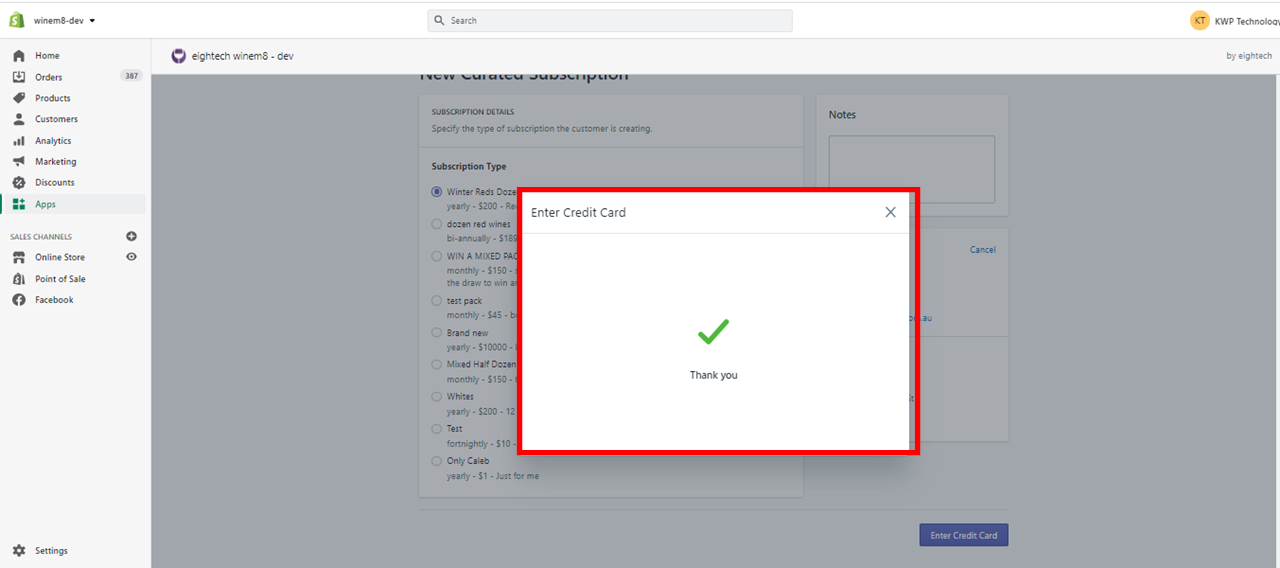
Select Enter Credit Card.
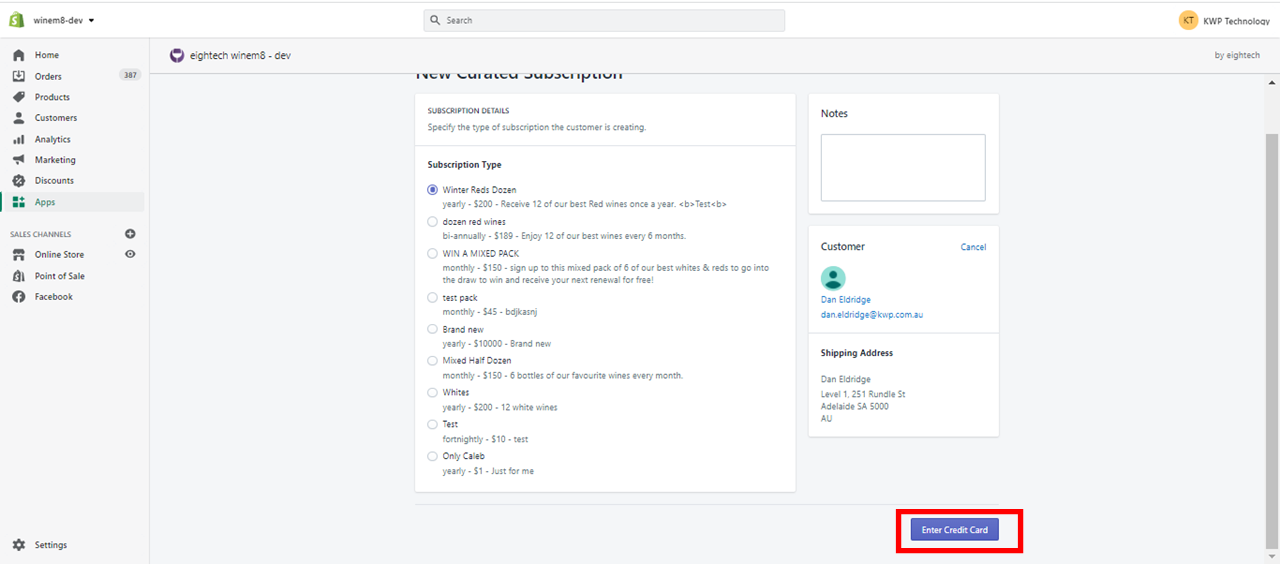
-
Add the credit card details and click Save Card Details.
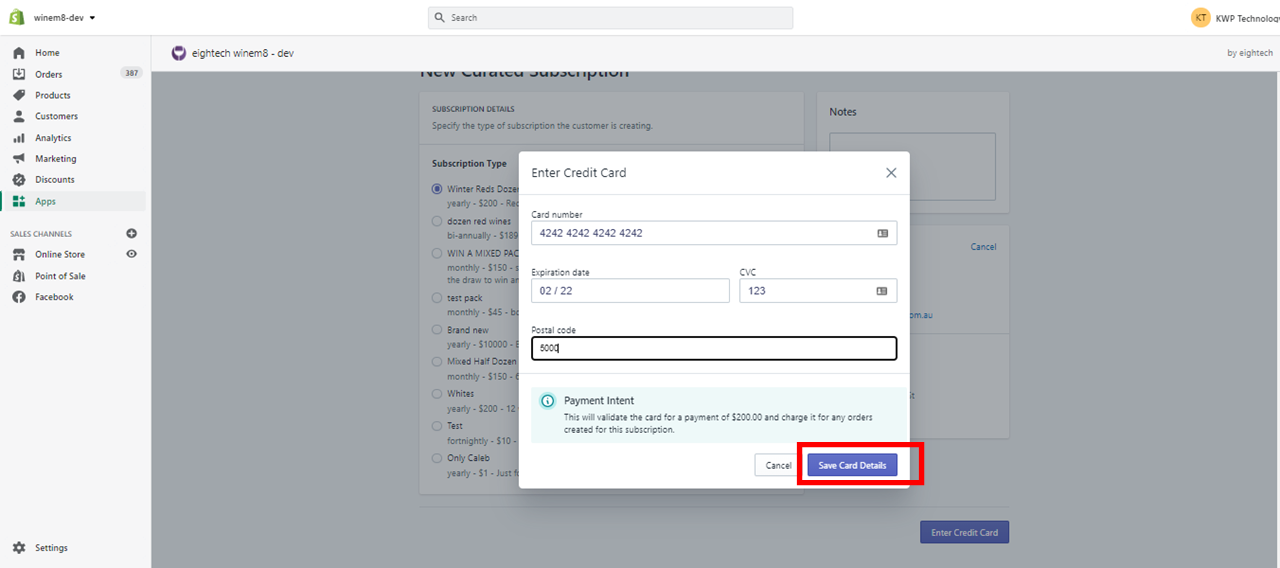
-
Wait until you get the Thank you message.
-
The Subscription History shows the payment success/failure message.
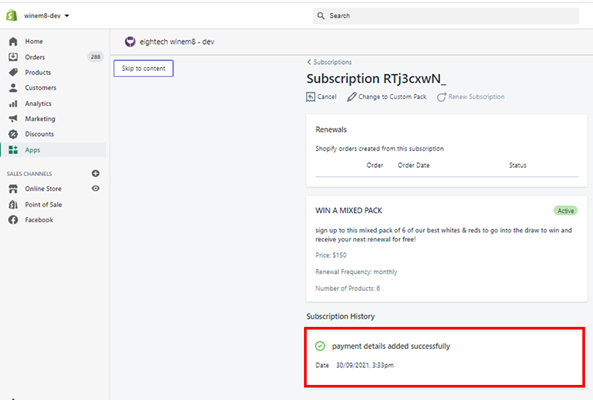
If the subscription was not successful, it will have an inactive tag. You will then need to get in touch with the customer to get an up-to-date card for the payment method.
Create orders for curated pack subscriptions
Section titled “Create orders for curated pack subscriptions”-
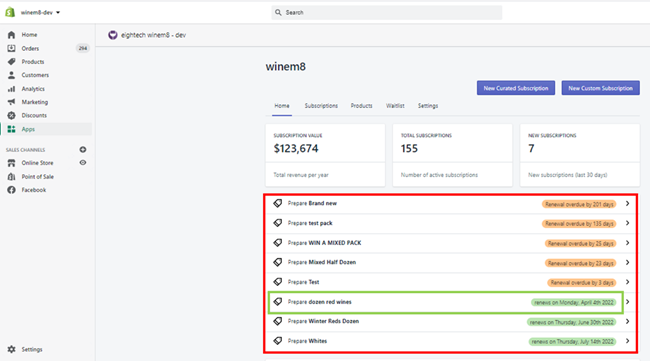
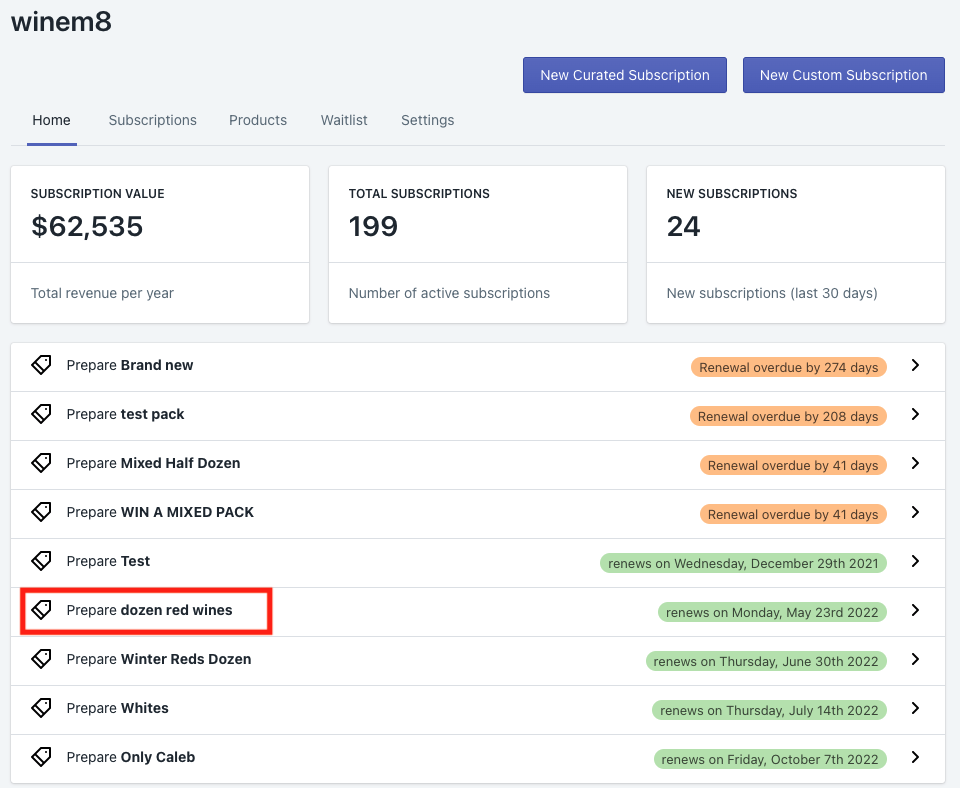
The Home tab lists all the curated pack subscriptions that need to be created. Click the pack that you would like to renew.
If you have a 7-day Order Fulfilment Lead Time, you will need to renew the pack 7 days before the date listed. If you have an instant Order Fulfilment Lead Time, you will need to renew the packs on the day and time you want to charge these customers.
-
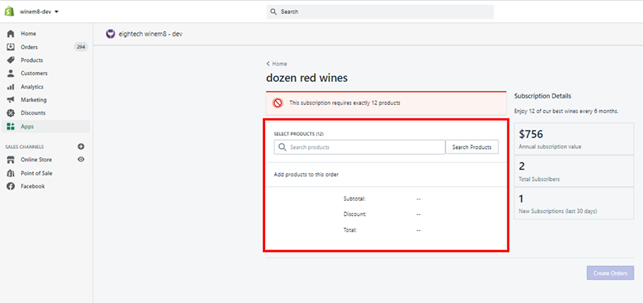
The product-selection screen will appear.
-
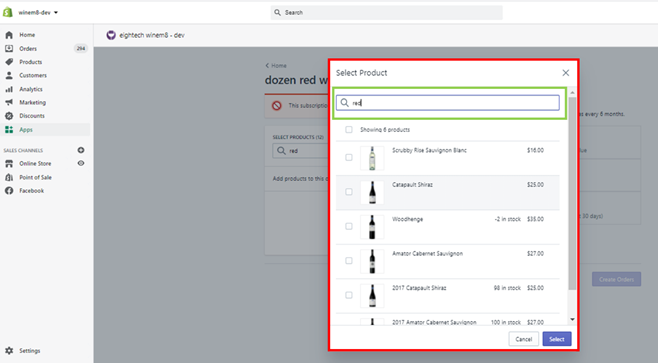
Use the search bar to search for the products and select the ones to be added in the pack.
-
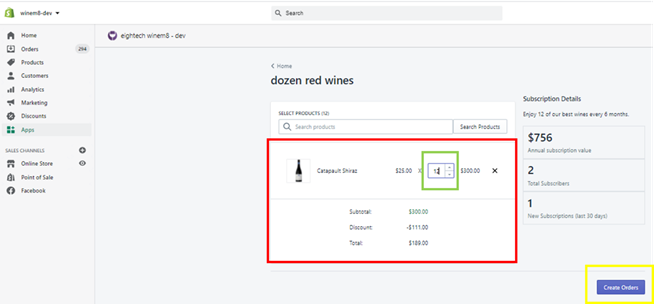
Once the products are added, adjust the quantity to complete the pack, then click Create Order.
-
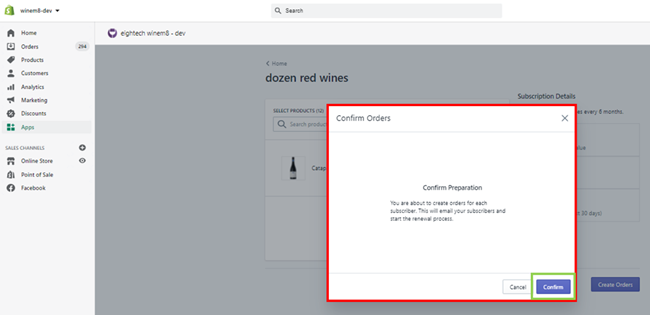
A pop-up will appear. Click Confirm to continue, or Cancel to discontinue.
-
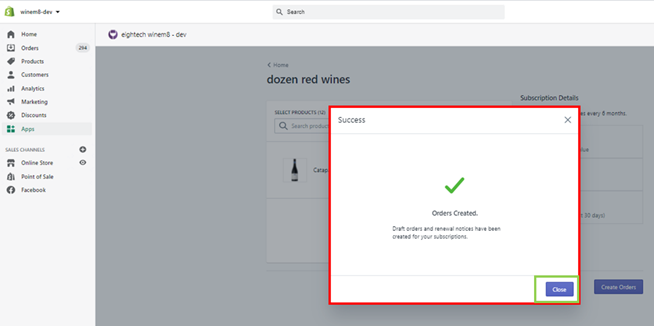
On confirmation, the Order Created message will pop up.
Fulfil orders for curated pack subscriptions
Section titled “Fulfil orders for curated pack subscriptions”Once the orders have been created for the curated packs, the order details are listed on the subscription details page.
-
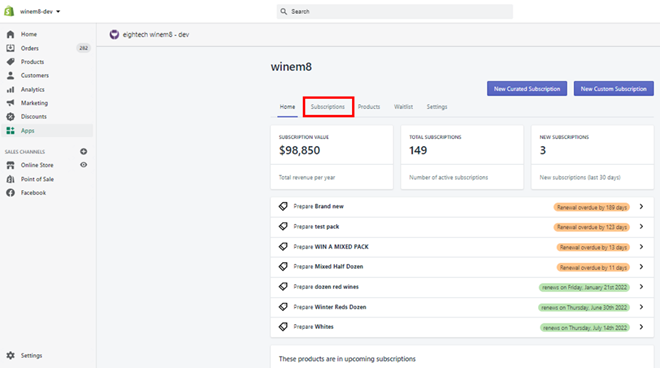
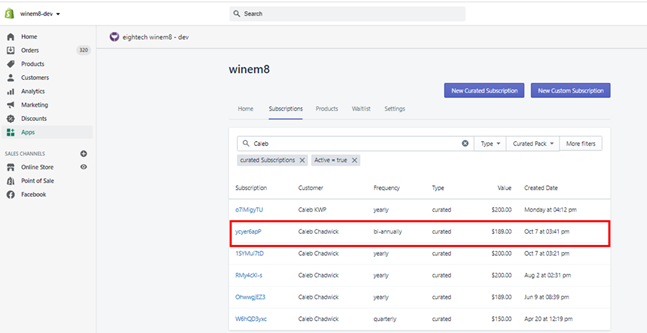
Click on the Subscription tab in the top menu.
-
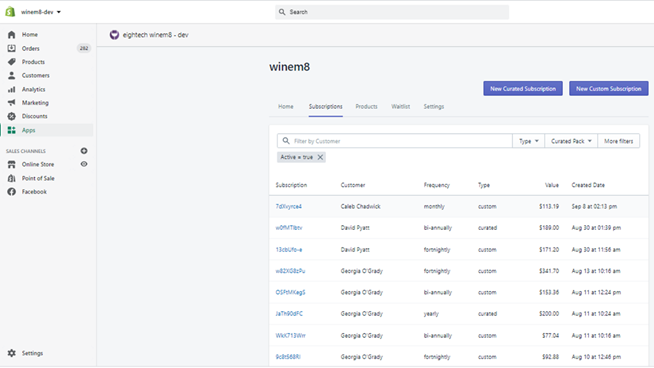
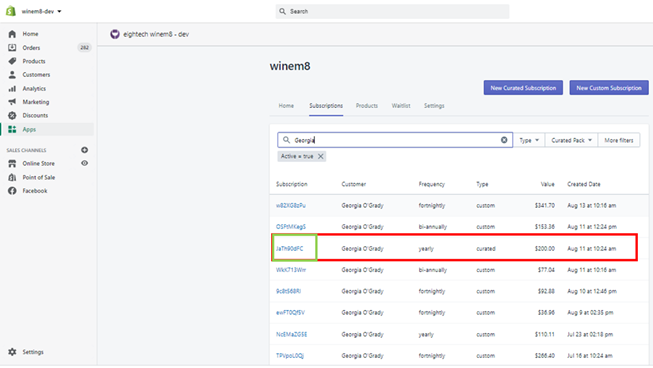
A list of all active subscriptions with multiple filter options will appear.
-
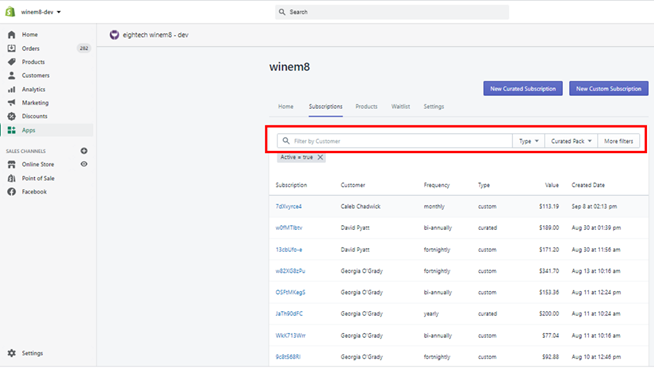
The search bar can be used to search for subscriptions.
-
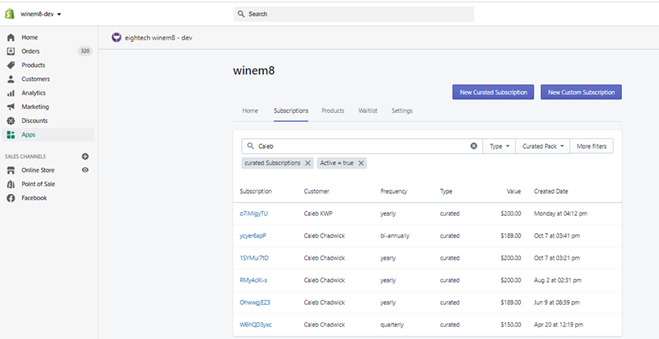
Use the search bar with the customer’s name to filter active subscriptions of that customer.
-
Click on the subscription ID to view the subscription page.
-
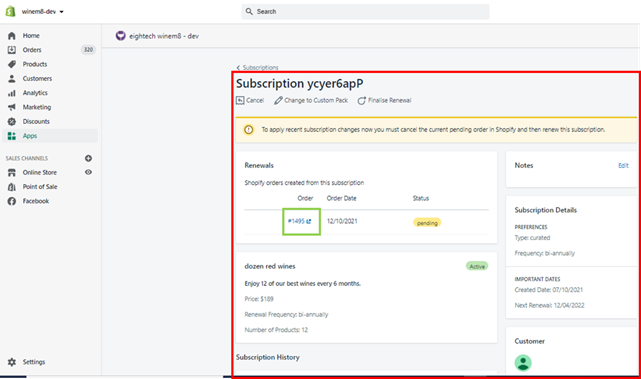
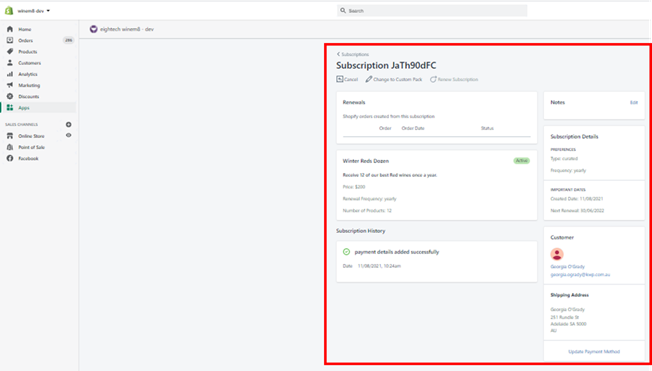
The page will load with the subscription details and the Order ID. Click on the Order ID.
-
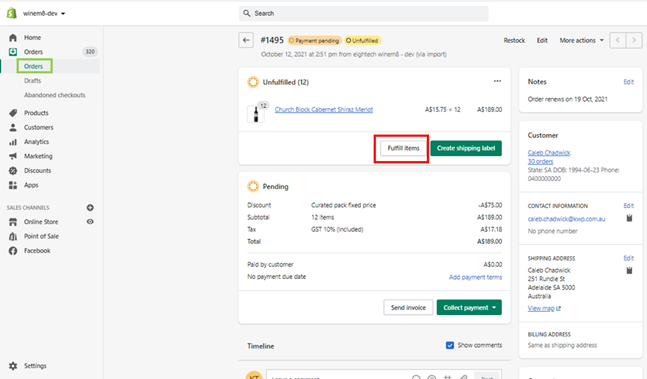
The Order page in the orders section under the Shopify store will load. Click on the Fulfill Items button.
-
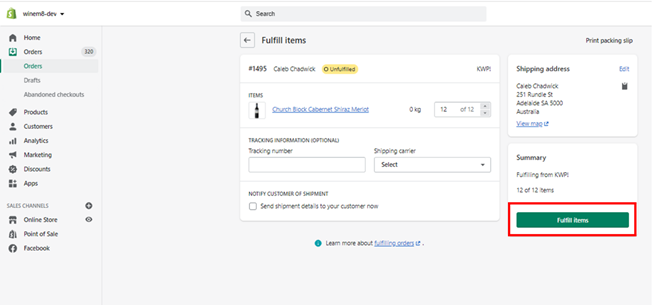
Enter the tracking number (if applicable), select the Shipping Carrier, and select the Notify customer option if required. Then click Fulfill Items.
Change curated pack subscription to a custom pack subscription as store admin
Section titled “Change curated pack subscription to a custom pack subscription as store admin”-
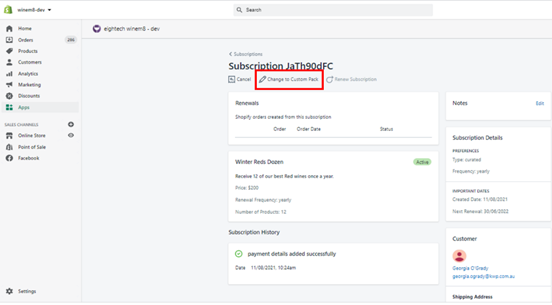
Click on Change to Custom Pack to change the subscription from a curated pack to a custom pack.
-
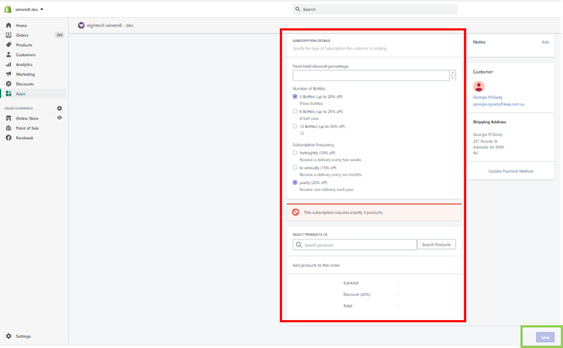
The edit screen will appear where you can edit the subscription details like number of bottles, frequency, or discounts. After making the changes click Save.
-
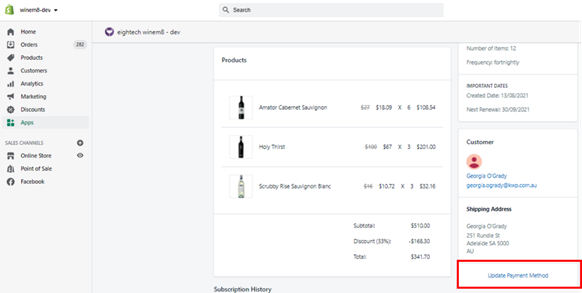
Click Update Payment Method to update the card details.
-
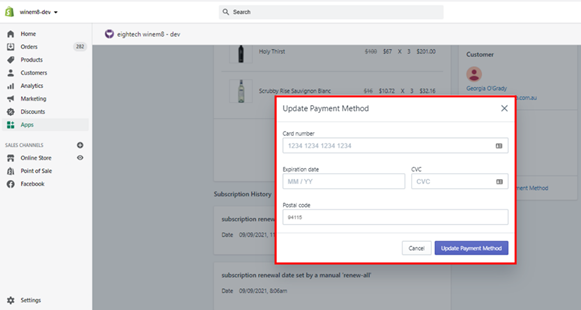
Enter the new card details and click the Update Payment Method button to save.
View curated pack subscription as a store admin
Section titled “View curated pack subscription as a store admin”-
Click on the Subscription tab in the top menu.
-
A list of all active subscriptions with multiple filter options will appear.
-
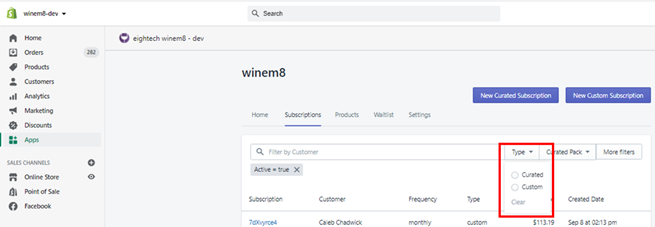
The Type filter can be used to filter for curated or custom subscriptions.
-
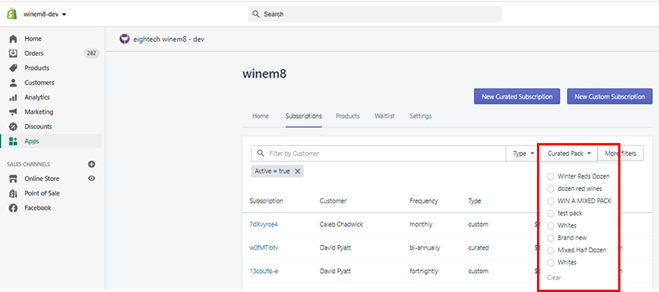
The Curated pack filter can be used to filter for different packs.
-
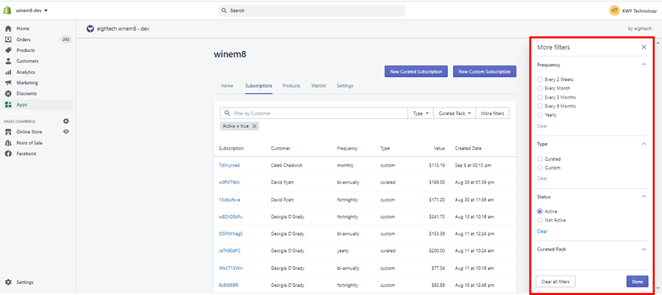
More filters has additional filters like Status (active or inactive subscriptions) and Frequency of subscriptions.
-
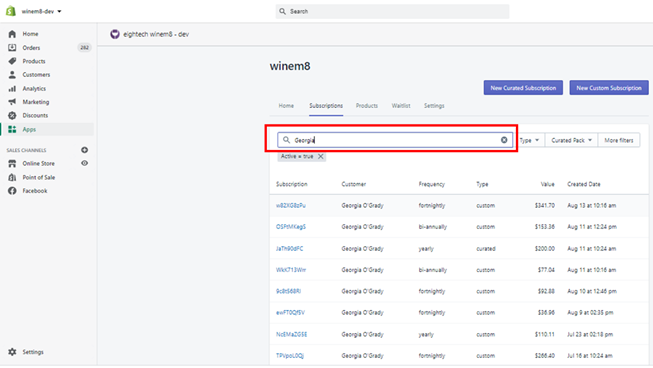
The search bar can be used to search for subscriptions.
-
Use the search bar with the customer’s name to filter active subscriptions of that customer.
-
Click on the subscription ID to view the subscription page.
-
The subscription page will have multiple options. It will also list all the orders related to this subscription along with the curated subscription details.
Cancel a curated pack subscription as store admin
Section titled “Cancel a curated pack subscription as store admin”-
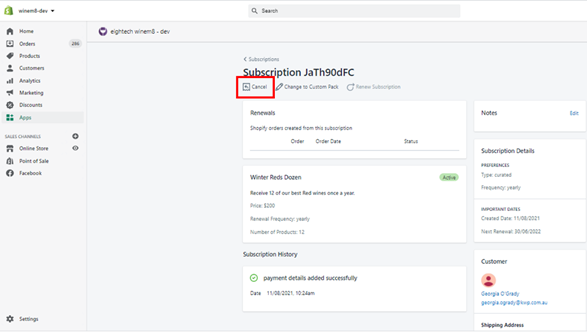
Click on Cancel to cancel the subscription.
-
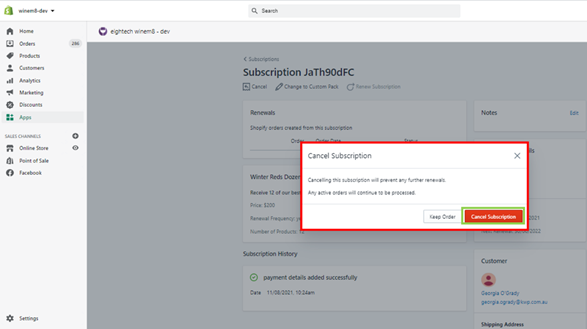
A confirmation pop-up will appear. Click Cancel Subscription to confirm cancellation, or Keep Order to keep the order.
Renew curated pack subscription as a store admin
Section titled “Renew curated pack subscription as a store admin”You cannot renew a curated pack subscription individually.
Planning stock for curated packs
Section titled “Planning stock for curated packs”Curated packs work differently than custom packs in that they will pull all products in your Shopify store. Therefore, you do not need to create a collection specifically for curated packs.
At the time of renewal, you will be able to select what products will go in each pack. If you track a level of stock for your Shopify products, the number of bottles remaining will show as you select these bottles.
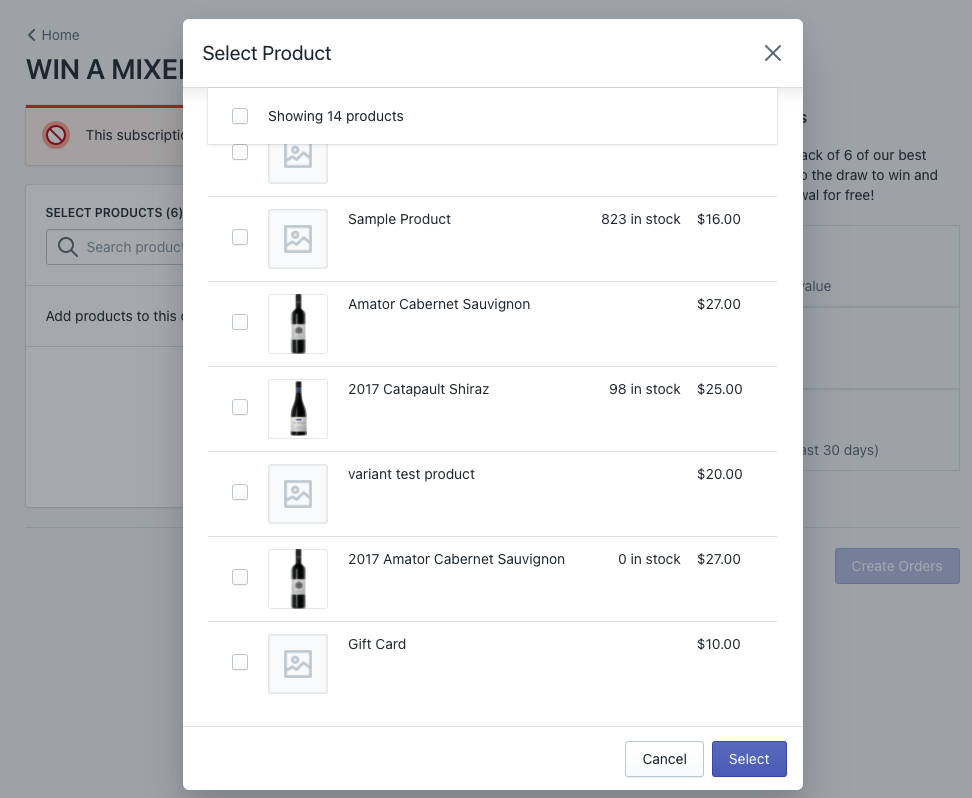
You have the control to decide a product in stock.
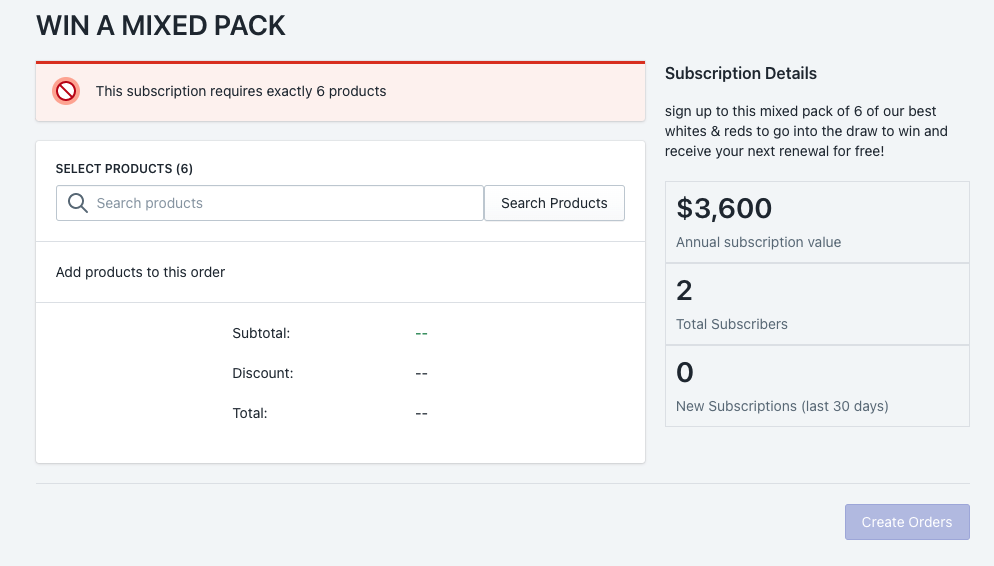
You can see how many people have subscribed to the pack in the dashboard for the pack as below.
How many curated pack subscribers do I have?
Section titled “How many curated pack subscribers do I have?”-
View how many subscribers you have for each pack by clicking into the pack dashboard.
-
Click into the pack you want.
-
You can see how many subscribers you have and what the annual value is to your business.