
Custom packs
What is a Custom pack?
Section titled “What is a Custom pack?”A custom pack is a box where the customer is given the opportunity to select the wines in their subscription. The winery sets the parameters i.e. the frequency, quantity, discount and available wines.
The customer then has the option to swap wines in and out throughout their subscription, providing them with the flexibility to tailor the subscription to their needs.
Custom Pack setup Initial Setup
Section titled “Custom Pack setup ”To allow our customers to order Custom packs, we must first define the key characteristics of our custom packs, including frequency, quantity, discounts and product mapping.
Configure your Custom pack
Section titled “Configure your Custom pack”-
In the winem8 app, click on the Settings tab in the top menu.

-
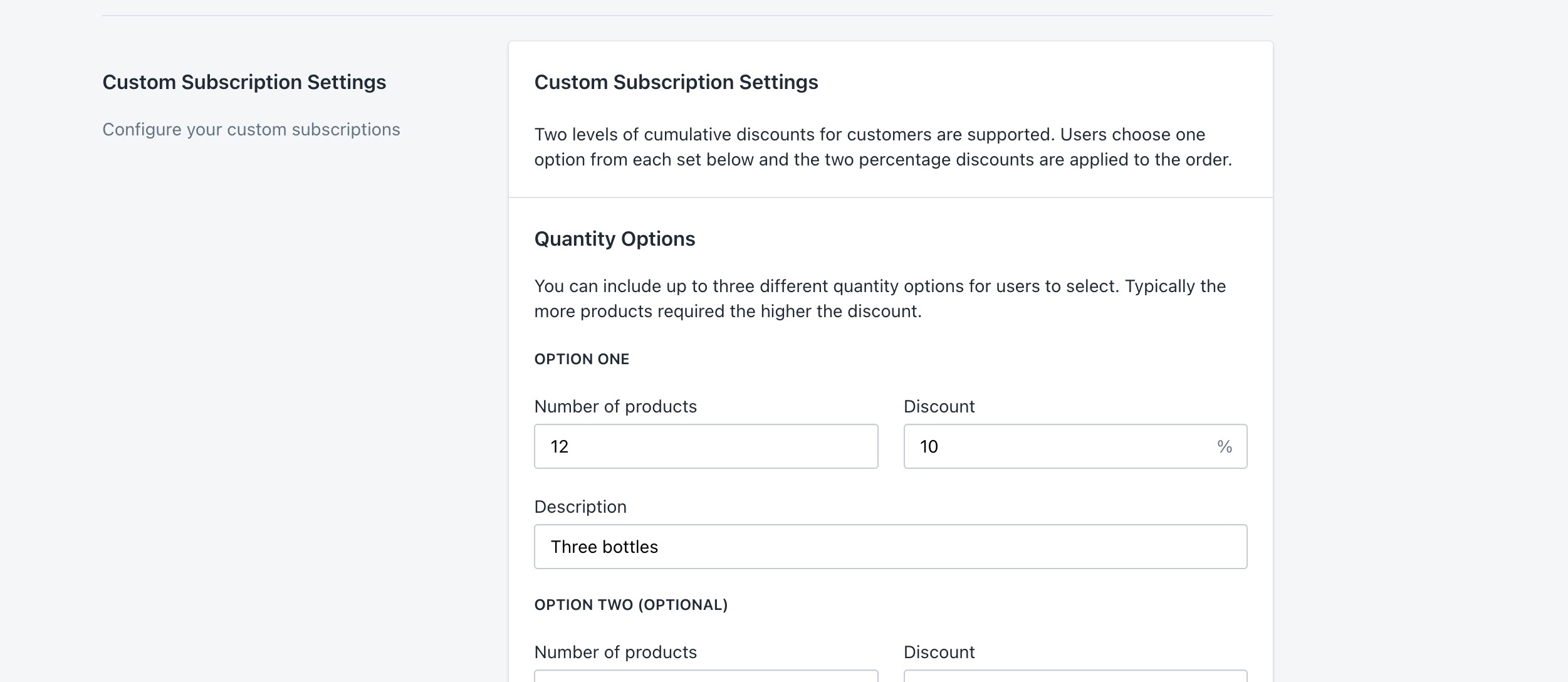
Scroll down to the Custom Subscriptions Settings section.
Quantity options
Section titled “Quantity options”Custom subscriptions allow you to configure the quantity of products allowed in the packs and assign discounts to these quantities. In most cases the more products that are added to a subscription, the higher the discount available to the customer.
The quantity option selected here will control the number of Shopify products that can be added to the custom pack — for example, setting the quantity to 6 will allow the customer to subscribe to 6 products.
Please keep in mind that if you sell single bottles as well as a case option, both will count as a single product towards the total product count.
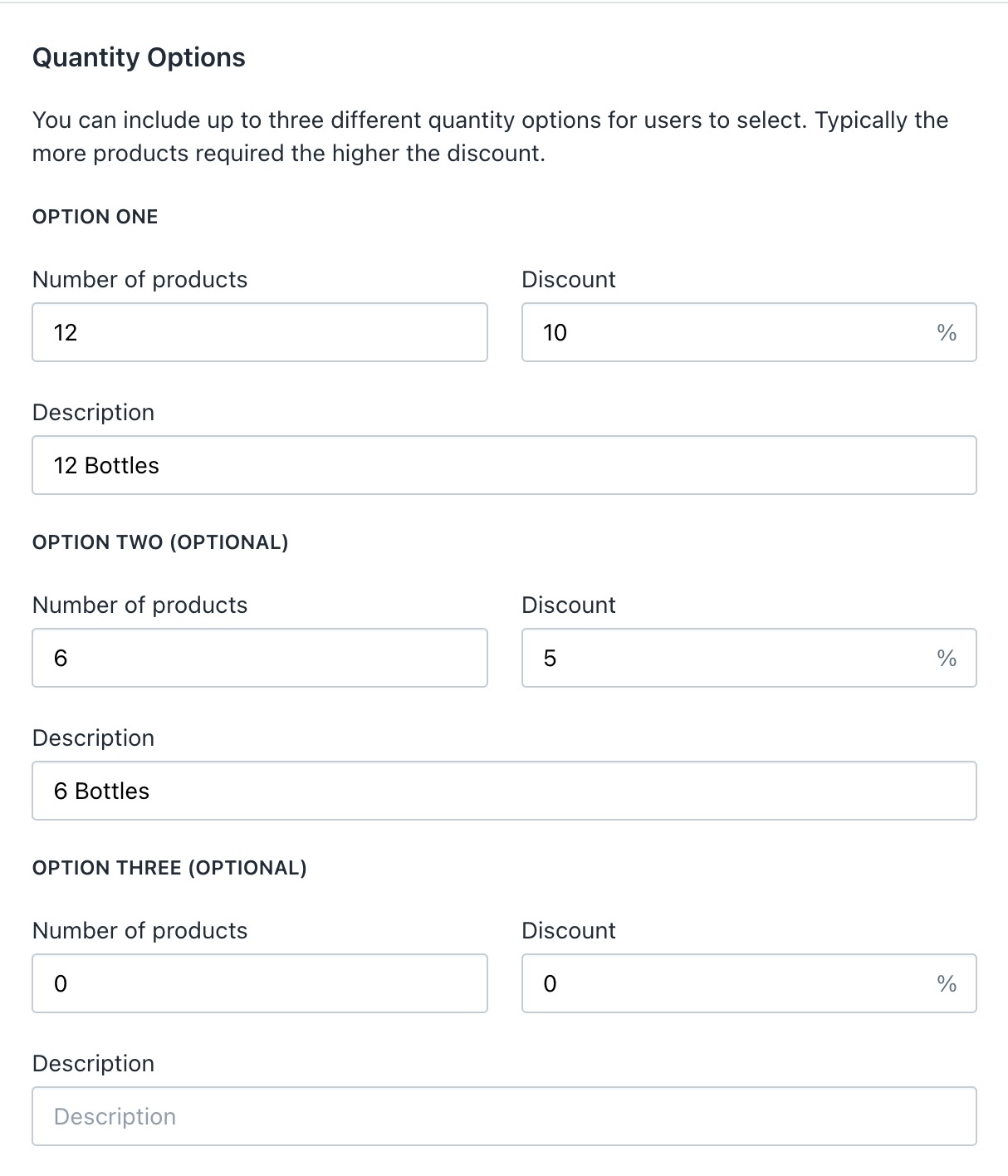
A maximum of three (3) quantity options can be offered. Set up the quantity options, discount (as a whole number) for each option along with a description, and move to the next step.
Example
Section titled “Example”The following example shows two quantity options with their respective discount and description. The third option is kept at 0 or blank to indicate that it is not provided.
Frequency options
Section titled “Frequency options”You will notice settings for manual renewals here. If you would like to learn more about manual renewals, or if you would prefer this method of custom pack provision, please refer to Manual (batch) renewals.
Custom subscriptions allow you to configure the renewal frequency options available to customers. In most cases the more regular the renewal, the higher the discount available to the customer.
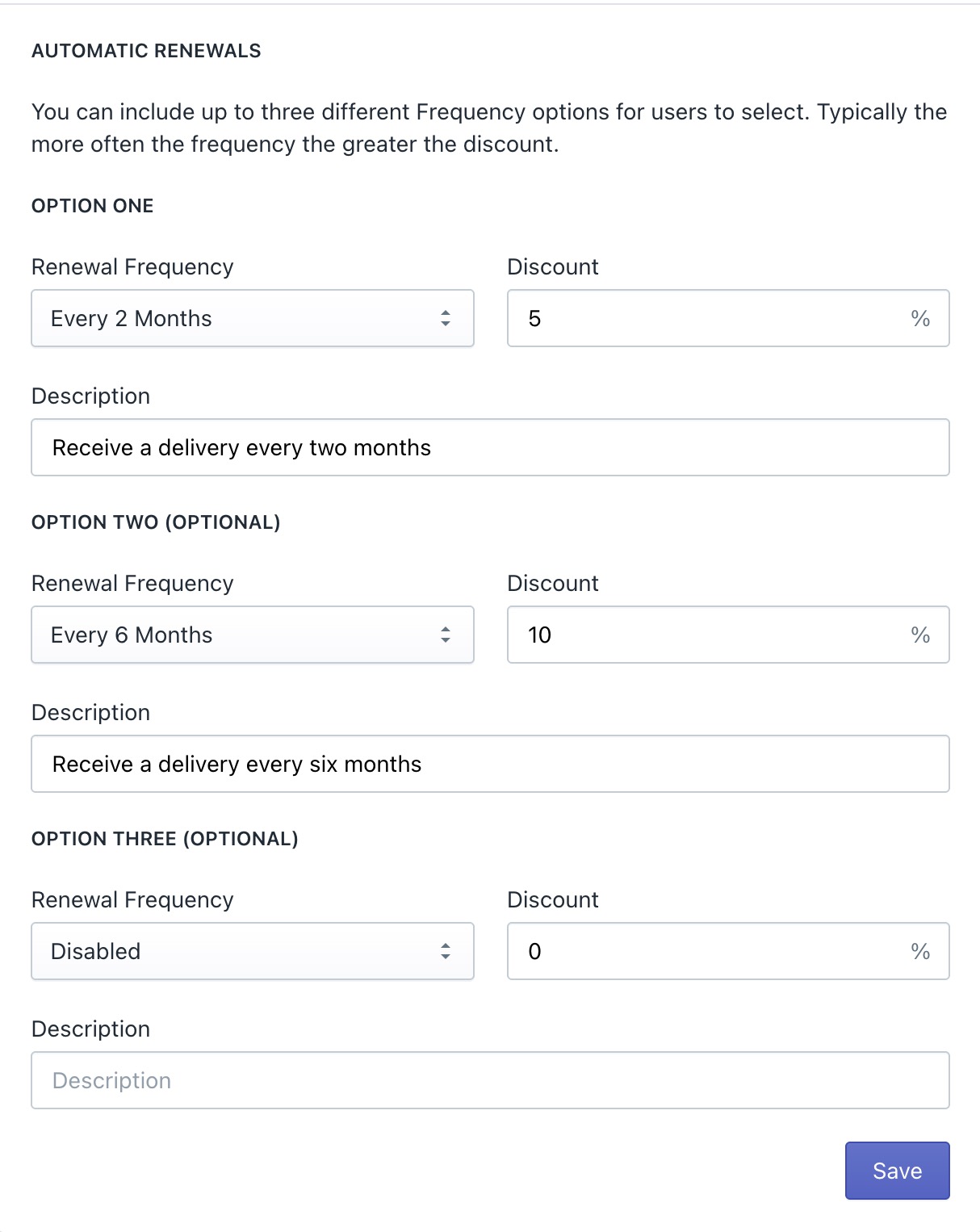
A maximum of three (3) frequency options can be set to offer the user options to select the frequency at which they would want the custom pack to be delivered. Options include monthly, quarterly, half-yearly and yearly. Set the frequency options along with discount (as a whole number) and description for each, and move to the next step.
Example
Section titled “Example”Here you can see two frequency options provided and the third option set to disabled.
Product mapping
Section titled “Product mapping”What is product mapping?
Section titled “What is product mapping?”When a custom subscription renews via the app, an order is created within Shopify for the contents of the subscription.
Custom subscriptions can be created and renewed at any time throughout the year, so it is important to plan your stock accordingly. With this in mind, we designed product mapping.
Product mapping can be used only for custom subscriptions. Examples of why you may use product mapping include:
- Automatically creating orders with the in-stock vintage product.
- Offering a mystery or curated product.
- Offering a latest release product.
The subscription product mapping feature allows you to specify which product will be used in the order in place of the product on the subscription.
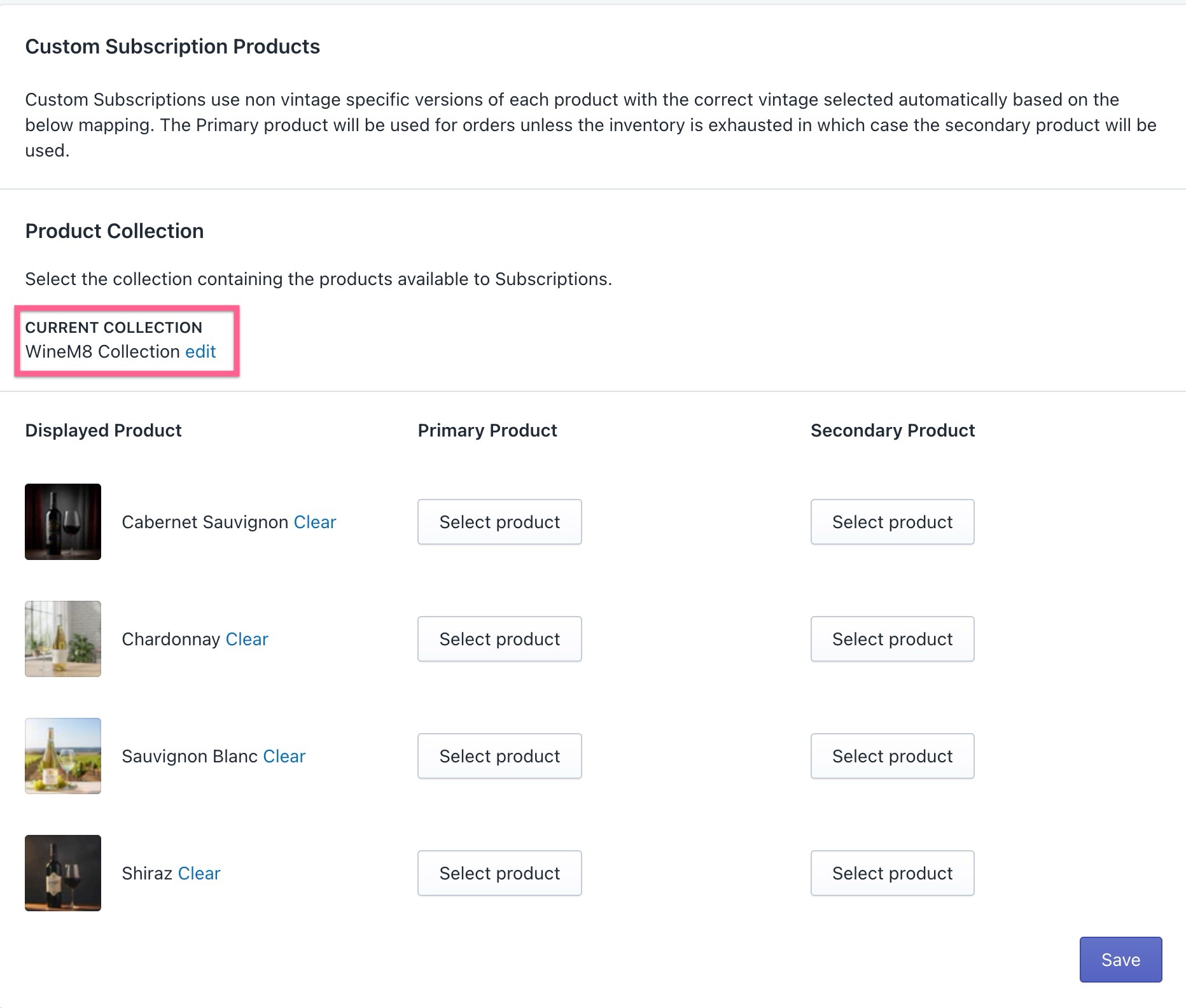
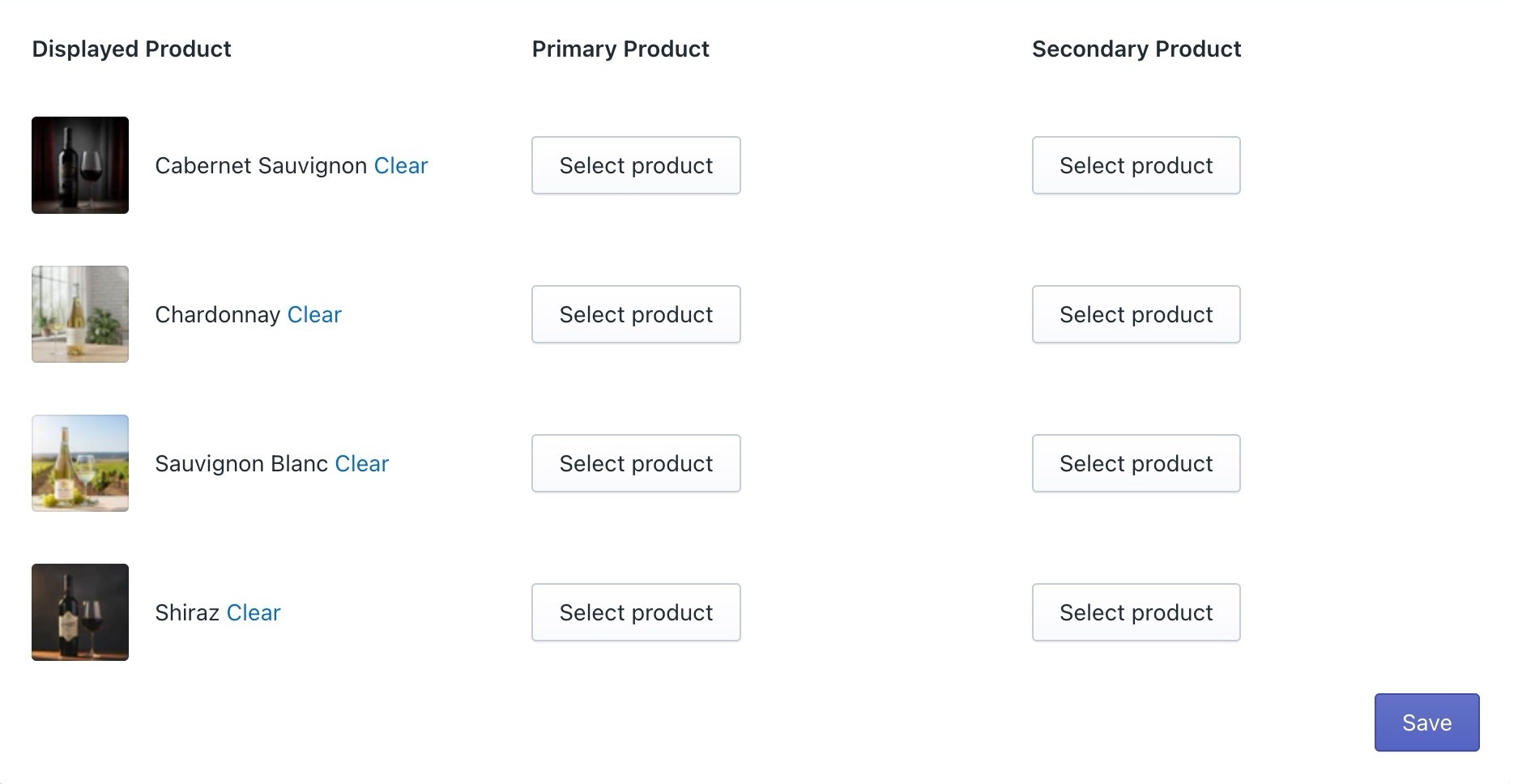
- Displayed product — Products from the selected collection. If no Primary or Secondary product is selected, winem8 will follow the inventory of the displayed product.
- Primary Product — The Primary product will be used for orders unless the inventory is exhausted.
- Secondary product — If the primary product inventory is exhausted, the secondary product will be used for the orders.
Setting up product mapping
Section titled “Setting up product mapping”-
Select the product collection by clicking on the Edit link (if a collection was already selected) or Choose Collection if it’s the first time.

-
Select the collection from the pop-up options.
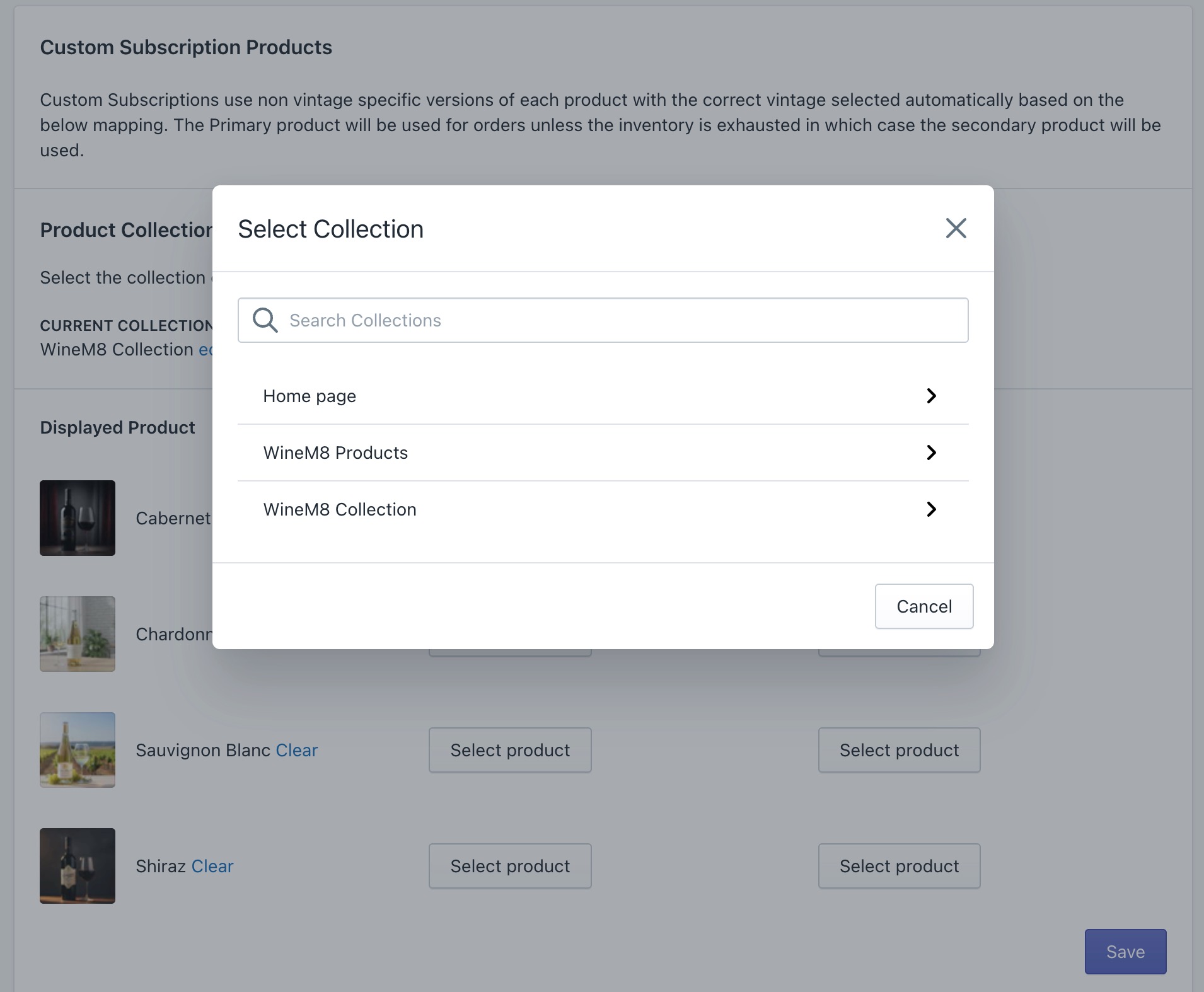
-
Select the primary products that can be offered to the customer to choose from for their custom pack subscription order.
-
Click the Select product button to select the primary and secondary products.
-
Select from the listed products.
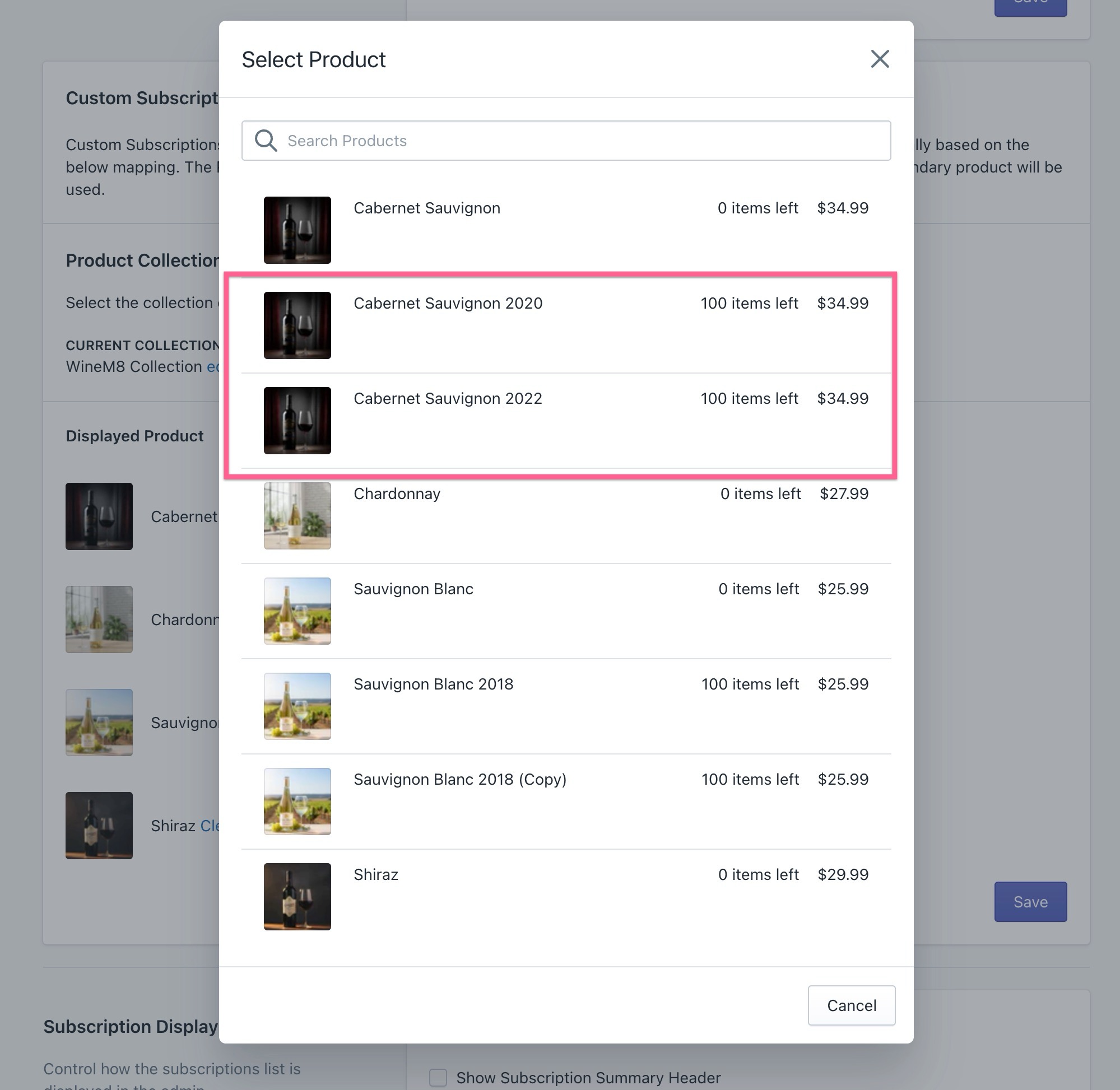
-
Once the primary and secondary products are selected, click Save. This will save all the changes made.
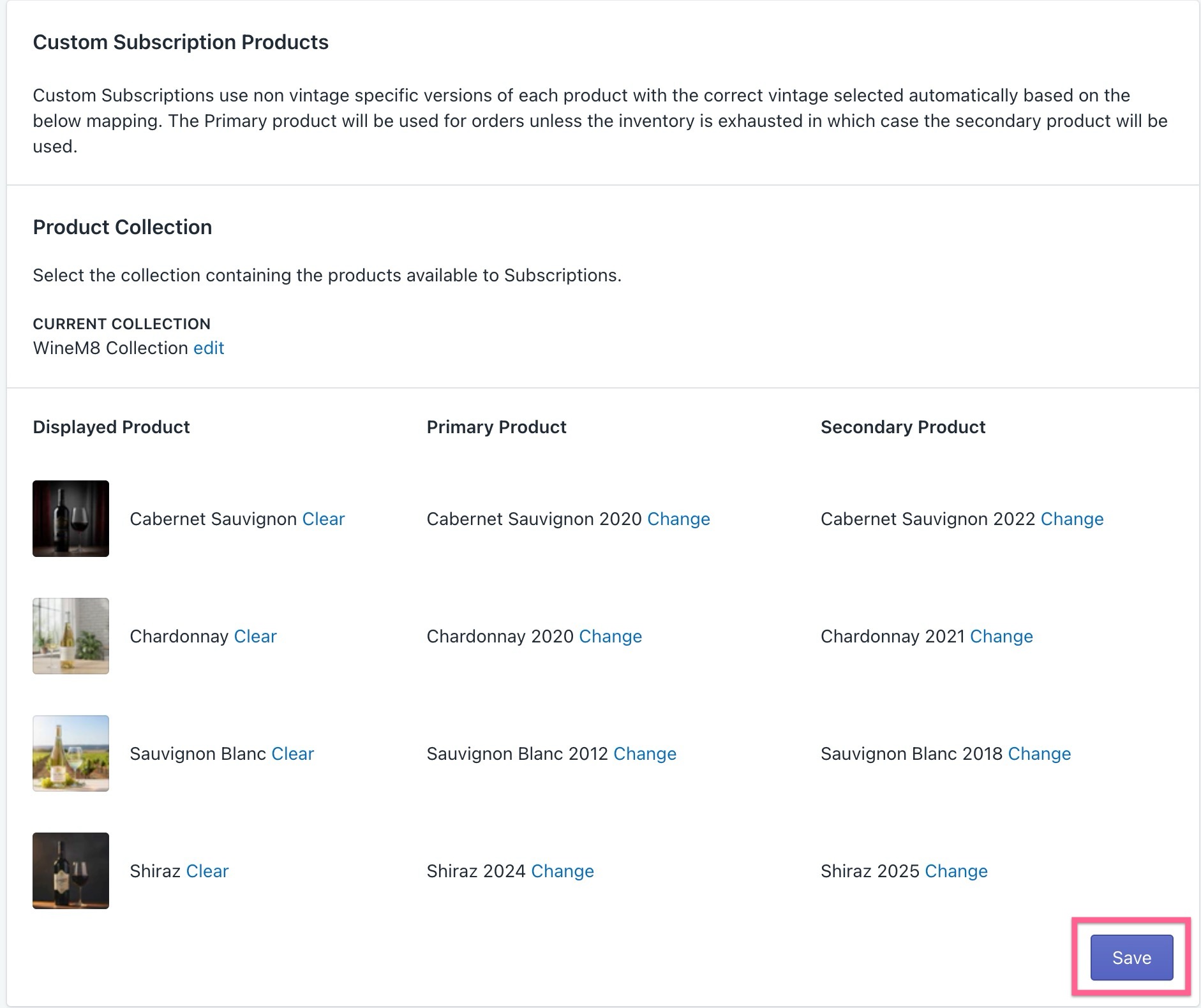
Renewals with product mapping
Section titled “Renewals with product mapping”During the renewal of a product using mapping, the following process occurs:
-
The subscription renews and the products in the subscription are checked.
-
If a primary product is specified in the mapping, the availability and price of the product are checked.
-
If the price is the same as the subscription product and there is sufficient inventory available, the renewal order will be created for the mapped product.
-
If there is insufficient inventory of the primary product, the same checks will be performed on the Secondary Product if a mapping has been created.
-
If there is insufficient of both the primary and secondary products, or no mapping exists, the renewal order will be created with the original subscription product.
Updating product mapping
Section titled “Updating product mapping”Product mappings can be updated following the same setup process, with the updated mapping applying from the next renewal.
This allows the mapping section to be used to accommodate limited or latest release products, with a generic product being used as the subscription product and then this is substituted for the mapped products on each renewal.