
Managing failed payments on renewals
Update payment method to continue failed renewal of a curated or custom pack subscription
Section titled “Update payment method to continue failed renewal of a curated or custom pack subscription”To ensure winem8 is aware of the successful renewal, follow this process.
-
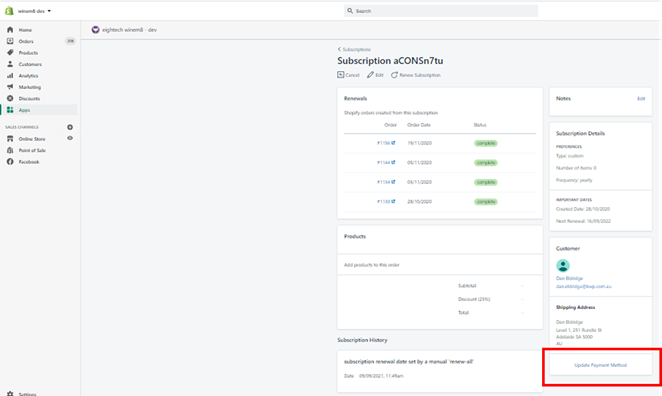
Navigate to the desired subscription. Click on Update Payment Method.
-
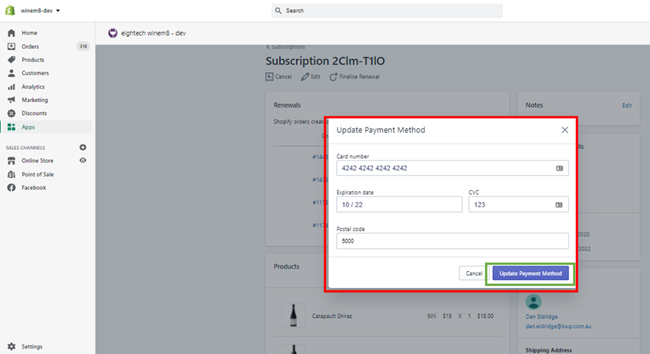
Update the card details and click on the Update Payment Details button.
Tracking failed payments
Section titled “Tracking failed payments”With the nature of subscription payments, during renewals there will be payments that fail to go through as cards expire or the customer doesn’t have sufficient funds in their account. Winem8 has made some updates to help you manage this process.
Finding failed payments
Section titled “Finding failed payments”To find all subscriptions with failed payments in the winem8 app, follow these steps:
-
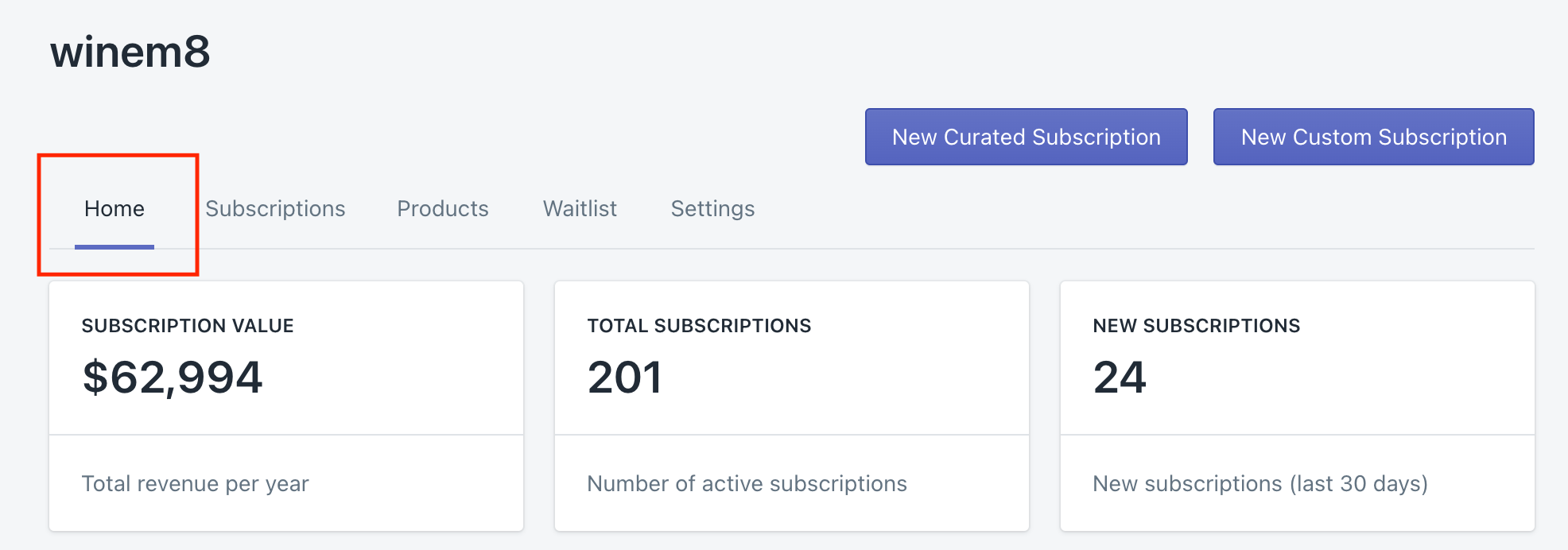
Go to Home.
-
Scroll to the bottom of this page until you find the failed payments section:
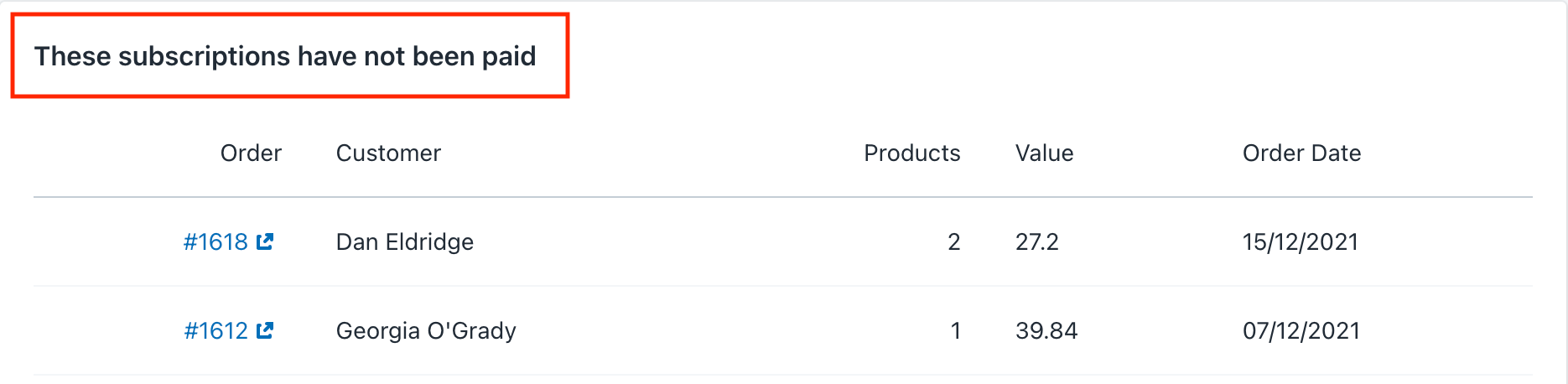
Here, you will find a list of all orders that have failed payments and still need to be processed.